



Velixo vs Martus
Your ERP data, live in Excel. No new system to learn. No spreadsheets to abandon.
Velixo connects directly to your ERP and turns Excel into a live reporting and budgeting workspace. Real-time data. Full writeback. No portal, no separate planning tool, no workflow your finance team didn't build.
Book your demoWhat Martus is actually selling
Martus’s pitch is straightforward: replace Excel with a structured web-based system where department managers can enter and track their own budgets without needing access to your accounting software. For organizations with a lot of non-finance users who need guided budget input, that’s a coherent solution.
But it comes with a trade-off that doesn’t get discussed enough.
When you move budgeting into Martus, your finance team is now working in two places. They build in Martus, but analysis still happens in Excel. Month-end reporting still happens in Excel. Board packages still happen in Excel. So the workflow doesn’t consolidate, it splits. You’ve added a system without removing steps.
And Martus’s own reviews confirm it: the learning curve is real, customization is limited, and the reporting flexibility finance teams need for ad hoc analysis isn’t there.
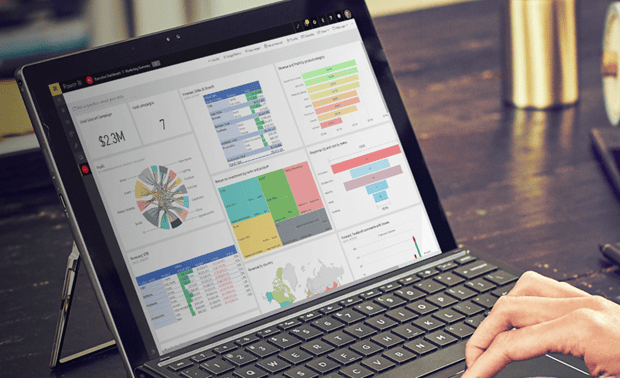
What Velixo does instead
Velixo doesn’t ask your finance team to work somewhere new. It makes where they already work faster, live, and connected to your ERP.
Your team pulls real-time data directly from Acumatica, Business Central, or Sage Intacct into whatever workbook structure they’ve already built. They drill into transactions without leaving the sheet. When they’re ready, they push journals, budgets, and allocations back to the ERP directly from Excel.
No exports. No manual re-entry. No bouncing between systems.
The result is a single, connected workflow: pull data, analyze, adjust, push back. Everything happens in one place, and that place is Excel which your team already knows.
Where the difference becomes concrete
The honest version:
Martus is built for organizations that want non-finance department heads doing their own budget input in a guided portal. Velixo is built for finance teams that need a faster, more powerful way to run reporting, budgeting, and analysis without leaving Excel or managing a separate system.
Built for how nonprofit finance actually works
Velixo ships with a library of nonprofit-specific templates for Sage Intacct, built around the reporting obligations and workflows that nonprofit finance teams run every year — not generic financial reports that happen to work for nonprofits. What's included:

Core GAAP financial statements
Statement of Activities, Statement of Financial Position, and Statement of Functional Expenses, all formatted to accounting standard requirements and ready to populate from live Sage Intacct data. The Statement of Functional Expenses also includes the IRS 990 localized version, so audit and compliance reporting doesn't require rebuilding from scratch.

Restricted net asset reporting
The Net Asset Rollforward template is built specifically for donor-restricted funds subject to temporary restriction, tracking purpose-restricted contributions and releasing them against actual expenditures. Your dimensions drive the structure; the template doesn't impose its own assumptions about how your organization tracks restrictions.

Grant and project management
The Project or Grant Financial Binder gives you a portfolio view across all active grants, with forecasting adjustments and financial position analysis in one place. The Unbilled Projects and Grants Tool solves one of the more painful nonprofit accounting problems: isolating paid transaction lines for grantor reporting when you're running on accrual-basis accounting.

Allocation tools with one-click writeback
Two allocation templates handle reallocation of account activity or ending balances — one based on actuals, one based on budget distributions — with journal entries pushed back to Sage Intacct in a single click.

Expanded trial balance
Pulls trial balance data from Sage Intacct expanded by GL account and any number of dimensions, with rolling and trailing period views.
Common questions from teams evaluating Martus
Yes. Velixo supports distributed budget input through Excel-based templates that connect back to your ERP. Department managers work in a familiar environment, and their inputs flow directly into the consolidated model. You control the structure; they fill in their piece.
This is the right question. Martus solves it by adding a separate reporting layer outside your ERP. Velixo solves it by giving you live, direct access to your ERP data inside Excel — with the ability to query any object, drill to transactions, and build whatever structure your team actually uses. It’s a deeper fix, not a workaround.
Teams typically don’t need to rebuild from scratch. If your underlying budget logic exists in Excel anywhere, that structure transfers. The question worth asking is whether you want to keep maintaining two systems or consolidate into one.
If your team knows Excel, there’s no meaningful curve. Velixo functions are cell-based and behave like Excel formulas. You don’t switch modes, run reports separately, or learn a new navigation model. Most teams are building their first live report within an hour of setup.


See it with your own data
Bring a report, a budget template, or a workflow your team runs today. We’ll rebuild it live in Velixo using your structure, your ERP, your logic so you can see exactly what changes and what doesn’t.