

May 20, 2026 @ 10:30AM - 4:00PM (ET) - Eligible for 5 CPE Credits*
Future in Focus 2026: Excel Your Budgeting, Close, and Audit Readiness for Nonprofits
Free Virtual Conference
Designed for non-profit finance leaders. Unlock the full capability of Excel for nonprofit budgeting, close, and audit readiness in one focused day.

Modern Excel. Connected ERP. Stronger Nonprofit Finance.
Future in Focus 2026 is a one day complimentary virtual conference designed to help nonprofit finance leaders fully harness modern Excel and extend it into their ERP environment.
Nonprofit finance teams carry overlapping cycles all year long. At the center of it all is Excel. It is the modeling environment, the reporting layer, and the bridge between ERP data and stakeholder expectations.
What many teams have not had time to explore is how significantly Excel has evolved: dynamic arrays, Power Query, modern lookup architecture, and structured workbook design that improves clarity and audit traceability. The platform has expanded into a powerful data and modeling engine, often underutilized simply because daily demands leave little room to experiment.
Why Attend?
|
Who Should Attend:
|
If Excel is central to your workflow, this event is built for you.
Spotlight Session:
Event Agenda
What You Will Experience
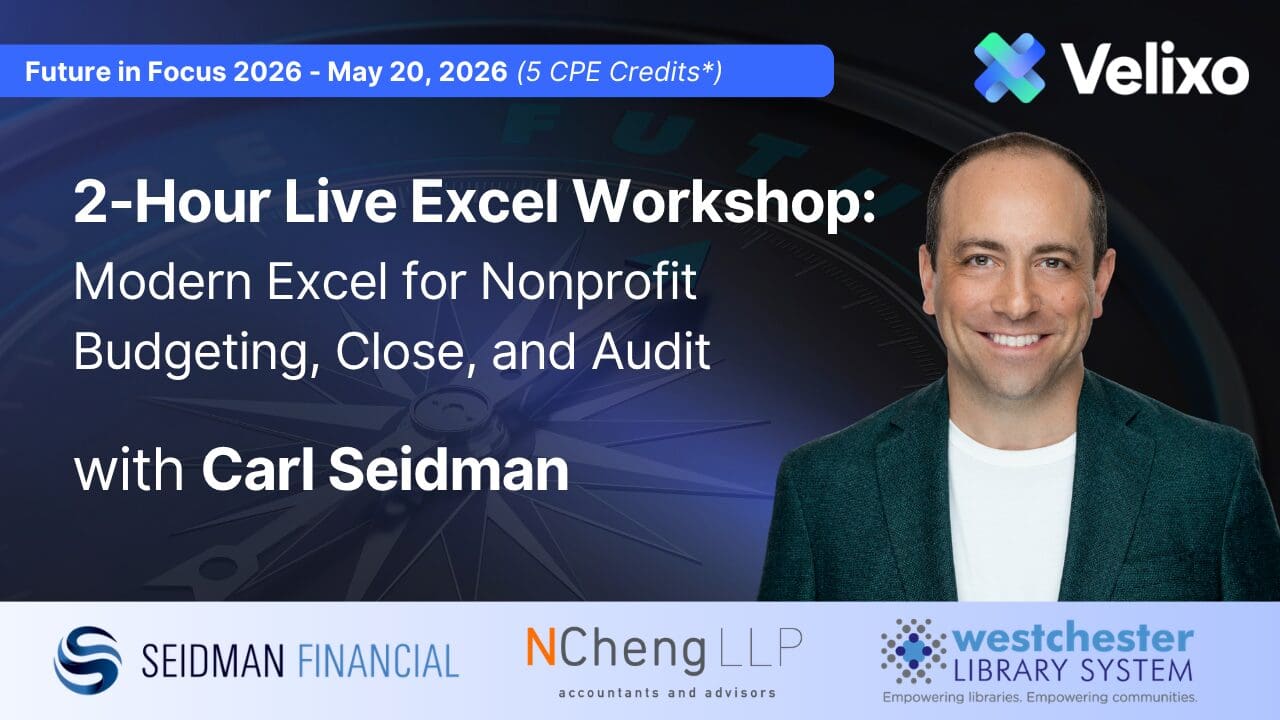
Presented by: Carl Seidman, CSP, CPA, Seidman Financial
Excel has quietly become a different tool over the past few years. Between dynamic arrays, LAMBDA, LET, and a whole new generation of aggregation functions, the gap between how most people use Excel and what Excel can actually do has widened dramatically. This creates an opportunity for business modelers and analysts to level up.
In this hands-on virtual session, a Microsoft MVP in Excel will close that gap. You’ll see how modern methods can replace traditional techniques, shrink models, reduce rework, and make analysis easier for others to trust and maintain. The focus throughout is practical: real-world problems, worked through live, using innovative approaches you can carry directly over to your work.
Learning Objectives
Upon completion of this session, participants will be able to:
- Identify where dynamic functionality and spill-based functions can replace legacy formula patterns common in FP&A and accounting work, such as forecasts, variance analysis, consolidations, and reporting.
- Apply modern functions — including LET, LAMBDA, and named functions — to simplify complex calculations and build reusable logic without VBA.
- Design models that adapt automatically to changes in data shape, size, and structure, eliminating the manual updates that cause most model errors.
Field of Study: Finance
Program Knowledge Level: Basic, Intermediate, Advanced
Prerequisites: Possession of intermediate financial acumen and a general understanding of Excel and general business concepts
Advance Preparation: None
Instructional Delivery Method: Group Internet-Based
Recommended CPE Credit: 2.0*
*Reminder: CPE credit is issued to participants who attend and meet engagement requirements for the full event. No partial credit will be awarded.
Presented by: Rob Caluori, Westchester Library System
Small and medium nonprofits have less resources than larger organizations, but still have the same needs. Well-planned and informed budgets, an efficient monthly closes and report packages and the means to prepare for annual audits are essential for nonprofits to serve their mission, manage finances and keep management and the board well-informed.
Even with access to a powerful ERP like Sage Intacct, many of these functions end up living in Excel where teams draft budgets, conduct analyses for performance monitoring and reconciliations and produce outputs for management and the board. The gap between those two environments creates manual work: maintaining and reconciling external schedules, copying data into templates, and formatting reports to meet stakeholder needs. There is an entire industry dedicated to building products for this, but are often out of reach for the small and medium nonprofit organization, but there are other, equally powerful options using Velixo.
This session focuses on how a single, broadly-capable tool like Velixo could be leveraged to meet those needs without investments into several, disparate and expensive products. Attendees will learn about the construction of a connected budget package in Excel that reads and writes directly to an ERP through Velixo. The session covers how to pull live general ledger and budget data into structured Excel workbooks, how to build presentation ready documents on top of that live data, and pull actionable reports that reduce the time to perform the monthly close and prepare for annual audits. The emphasis throughout is on the bi-directional workflow: the ability to refresh actuals from the ERP, produce quality reports against them, and write back to the ERP, all within the same workbook.
Content is grounded in nonprofit use cases, including multi-fund and multi-grant budget structures common to organizations operating on Sage Intacct.
Learning Objectives
Upon completion of this session, participants will be able to:
- Explain how a bi-directional connection between Excel and an ERP like Sage Intacct changes the reporting and budget workflow compared to an export-and-reformat approach.
- Build a budget in Excel that retrieves live general ledger and budget data from an ERP using Velixo functions.
- Apply writeback capabilities to push budget figures from Excel into an ERP without manual data entry or file import.
- Build reconciliation schedules in Excel that retrieve live general ledger and Sage Intacct module data to create monthly close efficiencies and audit preparedness.
CPE Information
Field of Study: Finance
Program Knowledge Level: Intermediate
Prerequisites: Familiarity with Sage Intacct and working knowledge of Excel including basic functions and three-dimensional references.
Advance Preparation: None
Instructional Delivery Method: Group Internet Based
Recommended CPE Credit: 1.0*
*Reminder: CPE credit is issued to participants who attend and meet engagement requirements for the full event. No partial credit will be awarded.
Choose the sessions aligned to your ERP, with dedicated separate tracks for Sage Intacct, Microsoft Dynamics 365 Business Central, and Acumatica.
Grant Budgeting for Nonprofits in Acumatica with Velixo
Presented by: Pooria Forootan, Director of Support & Services
For nonprofit finance teams managing grants in Acumatica, budgeting is rarely a single step. Grant Budget Entry must be filled period by period, one subaccount combination at a time. A multi-year grant spanning Fund, Program, Activity, and Branch dimensions can mean dozens of screens before a single dollar of budget is in place. And for organizations without the NonProfit Plus module, there is no Grant Budget Entry screen at all, leaving GL Budgets and subaccount segments as the only available tool.
This session tackles both problems through a connected Excel workbook built on Velixo. Participants will see how to retrieve live actuals and budget data from Acumatica for any combination of account and subaccount segments, how to analyze Actual vs. Budget vs. Variance at the account and subaccount level with full period-by-period visibility across the lifespan of a grant, and how to write a fully allocated grant budget back to Acumatica in a single click.
The workbook is structured as four progressive stages. The first two stages focus on reporting and analysis. The third stage demonstrates one-click Grant Budget Entry writeback for NonProfit Plus clients. The fourth stage delivers the same capability for all Acumatica clients using GL Budgets and subaccount segments, with no additional module required.
Learning Objectives
Upon completion of this session, participants will be able to:
- Use Velixo functions to retrieve live actuals and budget data from Acumatica for any combination of account, branch, and subaccount segments including Grant, Fund, Program, and Activity
- Analyze Actual vs. Budget vs. Variance at both the account level and the account-subaccount level, with drill-down to individual financial periods across the full lifespan of a grant
- Apply allocation-based budgeting logic in Excel to distribute a committed grant amount across subaccounts and financial periods, and write the results back to Acumatica in a single click using Velixo writeback functions
- Distinguish between the Grant Budget Entry writeback approach for NonProfit Plus clients and the GL Budget writeback approach for all Acumatica clients, and determine which applies to their organization
CPE Information
Field of Study: Finance
Program Knowledge Level: Intermediate
Prerequisites: Familiarity with Acumatica and working knowledge of Excel.
Advance Preparation: None
Instructional Delivery Method: Group Internet Based
Recommended CPE Credit: 1.0*
*Reminder: CPE credit is issued to participants who attend and meet engagement requirements for the full event. No partial credit will be awarded.
Close and Audit Readiness in Acumatica with Velixo
Presented by: Teague Sanders
The nonprofit month-end close compresses several competing demands into a short window. Trial balances need to be pulled and reviewed. Supporting schedules need to be tied back to the general ledger. Adjustments get identified, entered, and verified. And every cycle, the question of audit readiness runs underneath all of it: if an auditor pulled this workbook six months from now, would it hold up?
This session walks through a close workflow built on a live connection between Excel and Acumatica through Velixo. Rather than exporting static data at a point in time and working from a snapshot, attendees will see how to build supporting schedules that reference live ERP data, run data quality checks that surface discrepancies between Excel workbooks and the general ledger in real time, and process adjustments through a connected workflow that keeps the workbook and the ERP in sync.
The session also addresses audit readiness as a function of close discipline. When supporting schedules pull live data and adjustments flow back to the ERP from a controlled workbook, the documentation trail improves as a byproduct of the workflow rather than as a separate exercise performed after the fact.
Learning Objectives
Upon completion of this session, participants will be able to:
- Identify common bottlenecks in a nonprofit month-end close that result from disconnected Excel and ERP workflows.
- Build supporting schedules in Excel that reference live Acumatica data through Velixo, eliminating static exports as the basis for reconciliation.
- Apply data quality review techniques within a connected workbook to detect and resolve discrepancies between Excel and the Acumatica general ledger.
- Demonstrate how adjustments entered through a connected Excel-to-ERP workflow strengthen audit traceability compared to manual journal entry processes.
CPE Information
Field of Study: Accounting
Program Knowledge Level: Intermediate
Prerequisites: Familiarity with Acumatica, including Generic Inquiries and working knowledge of Excel including modern functions such as dynamic arrays, XLOOKUP, and LET.
Advance Preparation: None Instructional Delivery Method: Group Internet Based
Recommended CPE Credit: 1.0*
*Reminder: CPE credit is issued to participants who attend and meet engagement requirements for the full event. No partial credit will be awarded.
Choose the sessions aligned to your ERP, with dedicated separate tracks for Sage Intacct, Microsoft Dynamics 365 Business Central, and Acumatica.
Budgeting and Forecasting in Sage Intacct with Velixo
Presented by: Aaron Solomon
For many nonprofit finance teams, budgeting means a familiar cycle: export data from Sage Intacct, paste it into Excel, build the model, then manually re-enter approved figures back into the ERP. Every version change restarts that cycle. This session tackles that problem directly by showing how Velixo bridges Sage Intacct and Excel into a single connected workflow. Participants will see how live GL and budget data can flow into Excel using Velixo’s financial functions, how to structure dynamic reports that segment by the dimensions nonprofits rely on: fund, program, department, and grant, and how to push approved budget figures back into Intacct without touching an import file.
Highlights of the session include seeing Velixo’s foundational functions in action, a walkthrough of the out-of-the-box Budget Writeback template, simplified examples of how that template can be extended to support forecasting scenarios, and a look at more complex reports that can be built once the core building blocks are in place.
Learning Objectives
Upon completion of this session, participants will be able to:
- Pull live actuals from Sage Intacct into Excel using Velixo financial functions for nonprofit budget reporting
- Build dynamic budget-vs-actual reports segmented by different dimensions (filtering based on department, location, project, etc.)
- Leverage the Budget Writeback feature to submit approved budget data directly to Sage Intacct from Excel
- Create simple validation lists using live Sage Intacct data as your source
CPE Information
Field of Study: Finance
Program Knowledge Level: Intermediate
Prerequisites: Familiarity with Sage Intacct and working knowledge of Excel including modern functions such as dynamic arrays, XLOOKUP, and LET.
Advance Preparation: None
Instructional Delivery Method: Group Internet Based
Recommended CPE Credit: 1.0*
*Reminder: CPE credit is issued to participants who attend and meet engagement requirements for the full event. No partial credit will be awarded.
Nonprofit Reporting 2026: Statement of Functional Expenses, Donor-Restricted Funds, and Board-Designated Reserves
Presented by: Sharon Yun Chen & Gabrielle Popack-Singh
Two reporting requirements receive the closest scrutiny from external auditors, boards, and funders of nonprofit organizations: the Statement of Functional Expenses (SOFE) and the accounting for donor-restricted and board-designated net assets. This session works through both, combining NCheng LLP’s practitioner perspective with live demonstrations of Velixo templates built for Sage Intacct.
The SOFE portion covers the dual presentation required under ASC 958 (by function and by nature), the four allocation methods nonprofits rely on in practice (direct, time, space, and usage), and the documentation expectations that government funders and external auditors apply. It also examines how the efficiency ratios published by Better Business Bureau, CharityWatch, and Charity Navigator are calculated from SOFE data, and why those ratios matter to donors.
The net assets portion covers the two classifications required under ASC 958, the rules governing release of donor restrictions (including multi-year pledges, simultaneous release policies, and the prohibition on applying restricted funds to costs already reimbursed by a government contract or conditional grant), and the board’s fiduciary role in setting and replenishing an operating reserve.
Three live template demonstrations anchor the session. SI-NFP-RPT4 produces a GAAP-compliant SOFE by department with current and prior-period comparison, drill-back to Sage Intacct source batches, and reallocation journal entries written back to the ERP. SI-NFP-TOOL8 automates actual-expense allocation across dimensions and posts the journal entry to Sage Intacct from Excel. SI-NFP-RPT1 produces a net asset roll forward by funding source with drill-back to source transactions.
Learning Objectives
Upon completing this session, participants will be able to:
- Understand how to classify and allocate expenses across functions, identify key stakeholders and apply best practices.
- Apply the Velixo Statement of Functional Expenses template (SI-NFP-RPT4) to produce an audit-ready GAAP report in Excel connected to Sage Intacct.
- Understand how to classify net assets, determine when to release donor-restricted net assets, and calculate an appropriate operating reserve.
- Utilize the Velixo Net Asset Rollforward (SI-NFP-RPT1) to track donor-restricted, temporarily restricted, and unrestricted net asset activity.
Program Details
Program Knowledge Level: Intermediate
Field of Study: Accounting
Instructional Delivery Method: Group Internet Based
Prerequisites: Working knowledge of nonprofit financial reporting under ASC 958 and basic familiarity with Sage Intacct.
Advance Preparation: None.
Recommended CPE Credit: 1.0 credits (60 minutes of learning content at the 50-minute hour, rounded down)*
Program Date: May 20, 2026
*Reminder: CPE credit is issued to participants who attend and meet engagement requirements for the full event. No partial credit will be awarded.
Choose the sessions aligned to your ERP, with dedicated separate tracks for Sage Intacct, Microsoft Dynamics 365 Business Central, and Acumatica.
Budgeting and Forecasting in Business Central with Velixo
Presented by: Jim Norton, CPA
Nonprofit budgeting in Business Central may start inside the ERP, but inevitably ends up living in Excel, where teams build the models, run the scenarios, and produce the board-ready outputs that stakeholders review. The gap between those two environments creates manual work: exporting trial balances, copying data into templates, reconciling versions after changes are made on either side.
This session focuses on closing that gap. Attendees will learn about the construction of a connected budget model in Excel that reads and writes directly to Business Central through Velixo. The session covers how to pull live general ledger and budget data into structured Excel workbooks, how to build forecast models on top of that live data, and how to push approved budget figures back into Business Central without re-keying or importing files. The emphasis throughout is on the bi-directional workflow: the ability to refresh actuals from the ERP, model against them, and write results back, all within the same workbook.
Content is grounded in nonprofit use cases, including multi-fund and multi-grant budget structures common to organizations operating on Business Central.
Learning Objectives
Upon completion of this session, participants will be able to:
- Explain how a bi-directional connection between Excel and Business Central changes the budgeting workflow compared to an export-and-reformat approach.
- Build a budget model in Excel that retrieves live general ledger and budget data from Business Central using Velixo functions.
- Apply writeback capabilities to push budget and forecast figures from Excel into Business Central without manual data entry or file import.
- Evaluate how connected budgeting techniques apply to multi-fund and multi-grant structures in a nonprofit environment.
CPE Information
Field of Study: Finance
Program Knowledge Level: Intermediate
Prerequisites: Familiarity with Microsoft Dynamics 365 Business Central and working knowledge of Excel including modern functions such as dynamic arrays, XLOOKUP, and LET.
Advance Preparation: None Instructional Delivery Method: Group Internet Based
Recommended CPE Credit: 1.0*
*Reminder: CPE credit is issued to participants who attend and meet engagement requirements for the full event. No partial credit will be awarded.
Close and Audit Readiness in Business Central with Velixo
Presented by: Jim Norton, CPA
The nonprofit month-end close compresses several competing demands into a short window. Trial balances need to be pulled and reviewed. Supporting schedules need to be tied back to the general ledger. Adjustments get identified, entered, and verified. And every cycle, the question of audit readiness runs underneath all of it: if an auditor pulled this workbook six months from now, would it hold up?
This session walks through a close workflow built on a live connection between Excel and Business Central through Velixo. Rather than exporting static data at a point in time and working from a snapshot, attendees will see how to build supporting schedules that reference live ERP data, run data quality checks that surface discrepancies between Excel workbooks and the general ledger in real time, and process adjustments through a connected workflow that keeps the workbook and the ERP in sync.
The session also addresses audit readiness as a function of close discipline. When supporting schedules pull live data and adjustments flow back to the ERP from a controlled workbook, the documentation trail improves as a byproduct of the workflow rather than as a separate exercise performed after the fact.
Learning Objectives
Upon completion of this session, participants will be able to:
- Identify common bottlenecks in a nonprofit month-end close that result from disconnected Excel and ERP workflows.
- Build supporting schedules in Excel that reference live Business Central data through Velixo, eliminating static exports as the basis for reconciliation.
- Apply data quality review techniques within a connected workbook to detect and resolve discrepancies between Excel and the Business Central general ledger.
- Demonstrate how adjustments entered through a connected Excel-to-ERP workflow strengthen audit traceability compared to manual journal entry processes.
CPE Information
Field of Study: Accounting
Program Knowledge Level: Intermediate
Prerequisites: Familiarity with Microsoft Dynamics 365 Business Central and working knowledge of Excel including modern functions such as dynamic arrays, XLOOKUP, and LET.
Advance Preparation: None Instructional Delivery Method: Group Internet Based
Recommended CPE Credit: 1.0*
*Reminder: CPE credit is issued to participants who attend and meet engagement requirements for the full event. No partial credit will be awarded.
Featured Speakers
Jim Norton is a licensed CPA and former nonprofit Controller and CFO who brings real-world finance leadership context to accounting technology. He began his career in public accounting performing nonprofit audits and Form 990 engagements, then moved into leadership roles where he owned month-end close, budgeting, audit readiness, and board reporting. Today, as a Senior Product Manager at Velixo, he applies that real-life perspective to help finance teams improve accuracy, efficiency, and confidence in their numbers.
Jim is an experienced presenter, delivering sessions on advanced nonprofit accounting, reporting, and finance automation at major US conferences and industry events. He has presented at Sage Intacct Advantage, Sage Transform, and Sage Future, and he has contributed to partner office hours and webinars with practical deep dives and best practices for nonprofit finance teams.
He has led and supported complex implementations and optimizations, spanning requirements discovery, solution design, data migration and validation, integrations, training, and partner enablement. His deepest platform experience is in Sage Intacct, including advanced configuration and customization, and he also brings working familiarity with the Acumatica and Microsoft Dynamics 365 Business Central ecosystems through partner collaboration, enablement, and implementation support.
Rob Caluori is driven by a deep passion for data, information, and analytics. He has been with the Westchester Library System for 18 years, serving as Chief Financial Officer since 2020 and previously as Director of Information Technology for a decade. In addition to his work in library leadership, Rob is a Senior Adjunct Instructor at Mercy University and an active community volunteer, serving as Treasurer for New York District 20 Little League, which supports 13 local leagues in Westchester County.
Rob holds degrees from Mercy University (B.S. in Information Systems and Technology), Pace University (M.S. in Information Systems), SUNY Albany (M.S. in Information Science), and Long Island University (A.C.S. in Public Library Administration). He is also a New York State Licensed Librarian.
Sharon Yun Chen is an accounting professional with over 12 years of experience specializing in nonprofit financial management and compliance. She serves as a Manager at NCheng LLP, where she focuses on financial reporting, internal controls, and advising mission-driven organizations. Known for her attention to detail and collaborative approach, Sharon is a trusted partner to clients navigating complex nonprofit operations. She holds a Bachelor’s degree in Accounting from Baruch College and has built a strong foundation through prior roles in accounting and legal support.
Beyond her professional work, Sharon is actively involved in her church community. She serves as a leader and mentor, supporting young professionals and couples in their personal and spiritual growth, and contributes to program planning, retreats, and community events. Her commitment to both her profession and community reflects her passion for service, leadership, and making a meaningful impact.
Gabrielle Popack-Singh, CPA, is a seasoned accounting professional with over 14 years of experience serving clients in the not-for-profit sector. Gabrielle spent 6 years at KPMG LLP mastering auditing and compliance before devoting another 6 years at Schall & Ashenfarb, CPAs LLC exclusively to serving not-for-profit organizations. Gabrielle joined NCheng LLP in April 2024 and continues serving the not-for-profit sector.
Gabrielle’s expertise extends to government auditing, including Charter Schools and audits subject to Uniform Guidance. Additionally, Gabrielle has prepared and reviewed Consolidated Fiscal Reports (CFR’s) and informational tax returns, such as IRS Form 990 and state filings. Gabrielle provides invaluable support and knowledge to both colleagues and clients. She conducts in-house training seminars on auditing, accounting, and not-for-profit reporting. Her commitment to continuous learning fosters a culture of professional growth within the organization. Gabrielle’s proficiency in evaluating business practices, internal controls, and governance allows her to pinpoint risks and opportunities within client processes. This not only streamlines operations but also enhances their effectiveness. Gabrielle earned her Bachelor of Science in Finance and Certified Public Accounting, along with a Master of Science in Certified Public Accounting, from New York University’s Leonard N. Stern School of Business. Gabrielle holds a CPA license and is a member of the AICPA and the New York State Society of CPAs.
Teague Sanders is an ERP Data Analyst at Velixo, combining a background in economics accounting with 10 years of deep excel expertise. While his experience is mostly private accounting, he has experience in a wide range of industries including Residential New Construction and Assisted Living. This and experience in past implementations allow him to see the full life cycle of business reporting needs in both a for profit and not for profit landscape.
Aaron Solomon is an ERP Data & Reporting Analyst with a strong background in finance, data analytics, and report building. He began his career building a foundation in financial analysis and data modelling, later expanding into roles focused on market research and consulting, where he supported data-driven decision-making and complex financial projects. Across these roles, he developed expertise in transforming raw data into clear, actionable insights.
Today at Velixo, Aaron works closely with stakeholders to design and deliver advanced reporting solutions, helping organizations improve accuracy, streamline processes, and gain better visibility into their financial and operational performance.
Aaron brings experience across the full data lifecycle, including data extraction, validation, modelling, and visualization, and collaborates with stakeholders to translate business needs into scalable solutions. Bilingual in English and French, he combines strong technical capabilities with clear communication to support effective, insight-driven decision-making.
Pooria Forootan is the Director of Support & Services at Velixo, where he brings a passion for data and a practical approach to ERP reporting. He started his career in civil engineering before finding his footing in data and analytics, spending several years building solid expertise in reporting systems and financial data.
Since joining Velixo, Pooria has grown from a data analyst into a leadership role, spending the past three years managing teams and driving customer success across support and services. He has extensive experience helping organizations design and optimize ERP reports that are both accurate and actionable, and has worked closely with many nonprofit organizations on reporting needs ranging from financial statements and grant budgets to general ledger reallocations.
Known for his practical approach and his ability to connect technical solutions to real business needs, Pooria partners closely with clients to tackle complex reporting challenges and support better decision-making. His career reflects a steady focus on turning data into meaningful insights while leading teams that deliver reliable, high-impact solutions.
*CPE Credit Eligibility: to earn 5 CPE credits, attendees must participate in the entire virtual conference and satisfy all attendance and engagement verification requirements. Partial credit is not available. In order to validate attendance and engagement, participants must authenticate through Zoom.
Prerequisites: Basic working knowledge of Microsoft Excel. No advance preparation required.
Delivery Method: Group Internet Based
Cancellation Policy: This program is offered at no cost. If the program is cancelled or rescheduled, registered participants will be notified via email.
For concerns regarding this CPE program, please contact marketing@velixo.com. Unresolved complaints may be submitted to the National Registry of CPE Sponsors at www.nasbaregistry.org.
For CPE-related inquiries, please contact marketing@velixo.com.
Velixo is registered with the National Association of State Boards of Accountancy (NASBA) as a sponsor of continuing professional education on the National Registry of CPE Sponsors. State boards of accountancy have final authority on the acceptance of individual courses for CPE credit. Complaints regarding registered sponsors may be submitted to the National Registry of CPE Sponsors through its website: www.nasbaregistry.org. Sponsor ID: 169948