

Top 5 Ways Velixo Enables Agile Financial Close and Perpetual Audit Readiness


I started my career on the audit side of the table.
I spent long days and longer nights tying out lead schedules, chasing support, and trying to understand why a number changed between versions of the same report. Later, as a Controller and CFO, I lived on the other side of that process, responsible not just for answering audit questions, but for making sure the close itself was clean, explainable, and repeatable.
Living on both sides of the audit changed what I pay attention to.
Audit readiness is not something you switch on when the auditors arrive. You can see it in the mechanics of the close itself. When reports stay consistent, traceable, and current as the work is being done, the audit tends to move with far fewer interruptions and far less rework.
That is the lens I use when I look at tools like Velixo.
I look at whether a tool actually reduces friction between the ERP, Excel, the close process, and the audit work that follows. If it makes those handoffs cleaner and more predictable, it earns a place in the conversation. If it does not, it usually just adds noise.
Here are five practical ways Velixo helps finance teams move toward a more seamless, agile close and far less painful audit preparation.
1. Live-refreshing supporting schedules you can trust
In both audit and industry roles, supporting schedules were always where the real work lived. They were also where things most often broke down.
A schedule that was right yesterday but manually refreshed today is already suspect in an auditor’s mind. Everyone has seen the version control spiral that follows.
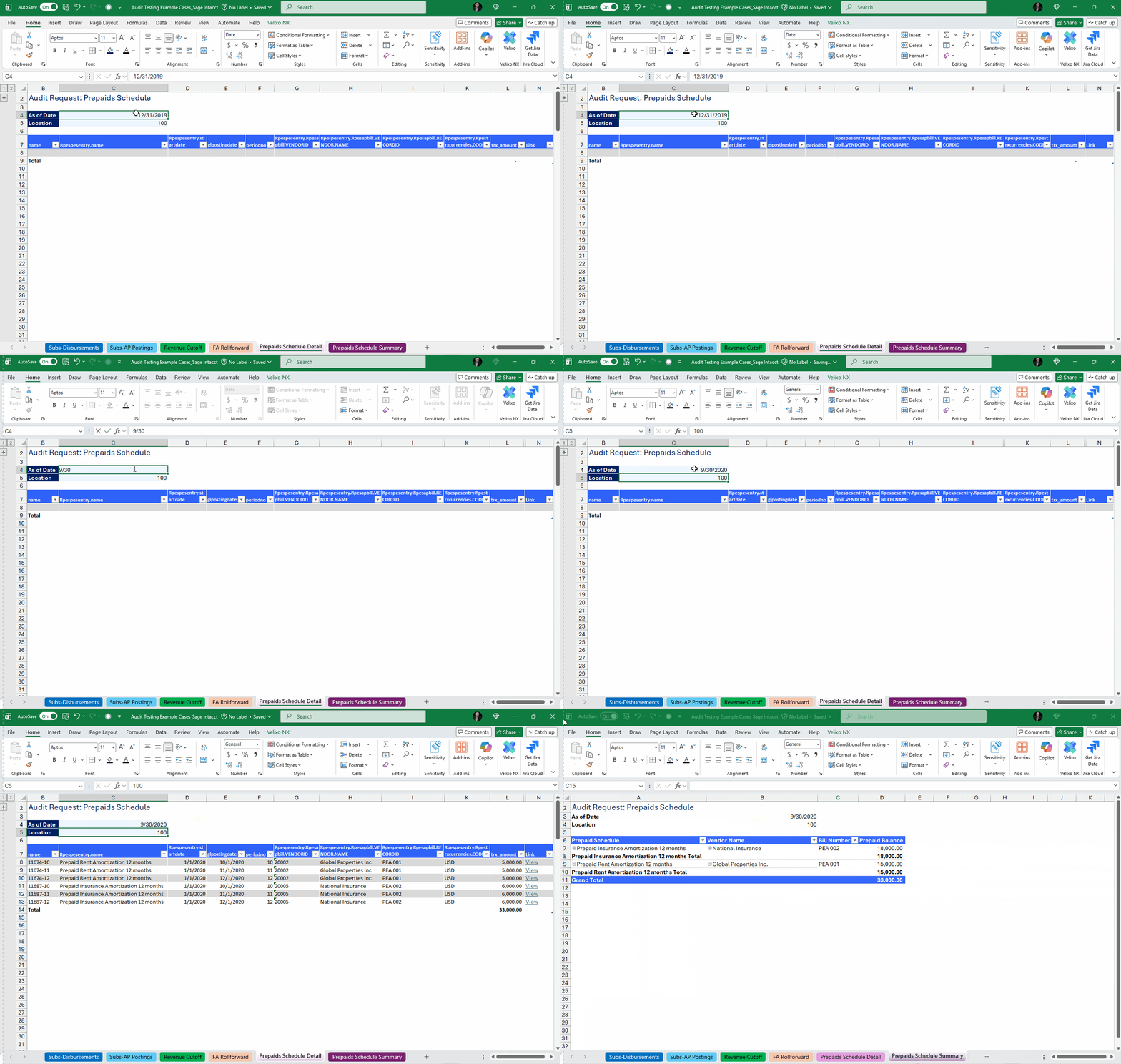
Velixo’s smart refresh changes that dynamic. Supporting schedules stay live and connected to the ERP, refreshing only what has changed while preserving the structure and logic of the workbook. That means the numbers in your support stay aligned with the system of record throughout the close.
From an audit perspective, this matters. You are no longer explaining how you rebuilt a schedule for the tenth time. You are showing a document that stayed current as the close progressed.
Real life example
A finance team maintains a prepaid expense roll forward that auditors review every quarter. Late accruals and reclasses are common during close. Instead of rebuilding the schedule, the team refreshes it in place after each posting. When audit fieldwork begins, the same schedule used internally is already current and tied to the final ledger, eliminating last-minute rebuilds or revalidation work.
2. Drilldown from summary to detail without leaving Excel
One of the most common audit questions is also one of the simplest: “What makes up this number?”
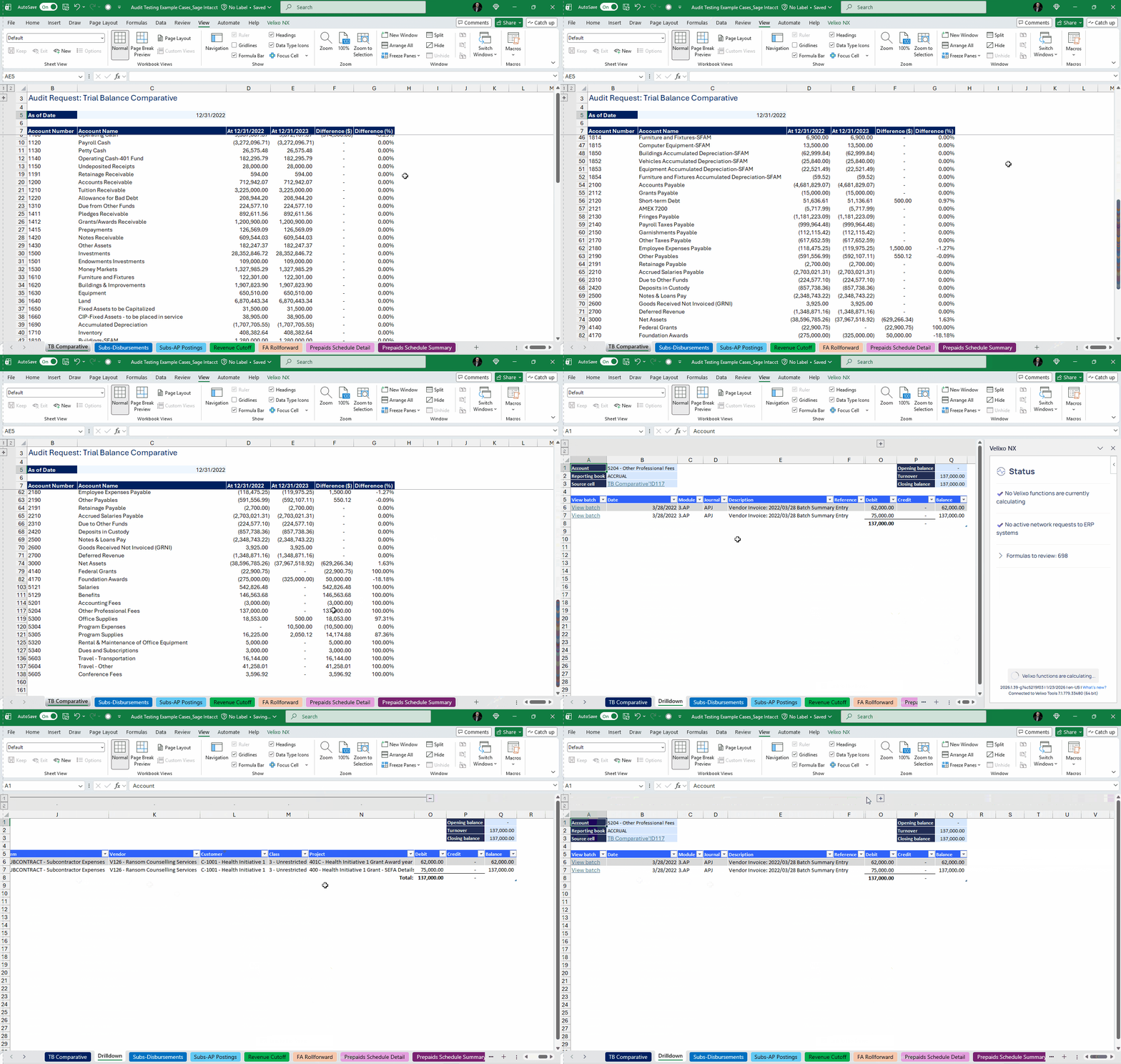
Velixo’s drilldown allows you to answer that question directly from the report. A summarized balance or variance can be expanded to the underlying transactions in a few clicks, without exporting, re-querying, or breaking the flow of the analysis.
As someone who has been on both sides of that conversation, this is a meaningful shift. It shortens the path from question to answer and keeps both the preparer and the reviewer grounded in the same data, at the same moment in time.
When needed, you can drill further, all the way back to the underlying transaction in the ERP itself. That end-to-end traceability matters during both close and audit cycles, especially when questions surface late or entries change.
Real life example
During audit review, an auditor questions a fluctuation in professional fees. The controller drills directly from the variance report into the transaction list, then opens the underlying invoices in the ERP to show timing and scope differences. The question is resolved in the same working session, without creating a separate support file.
3. Audit-ready PDFs with system attachments automatically included
You already provided the transaction detail. The numbers tie. Then comes the follow-up request: backup for all of these transactions.
Even when attachments live in the ERP, that request can turn into hours of manual work. Saving reports. Opening transactions one by one. Downloading invoices, contracts, or receipts. Renaming files. Making sure nothing is missed.
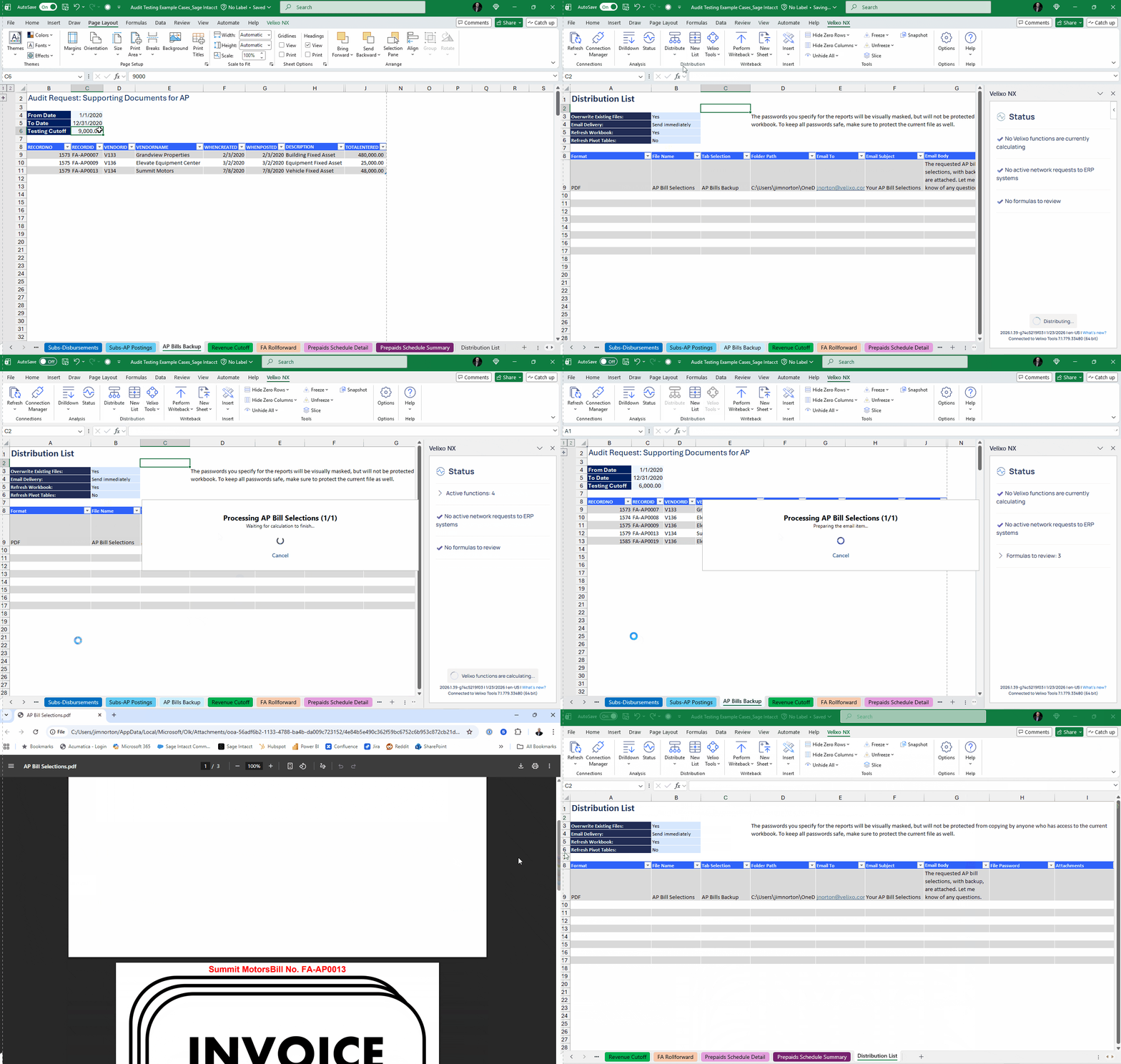
Velixo addresses this directly through its GETATTACHMENTS functions. Using SI.GETATTACHMENTS for Sage Intacct or GETATTACHMENTS for Acumatica, Velixo can pull attachments directly from the ERP records tied to the transactions in a report.
Practically, that means when you generate a PDF of a report, the related supporting documents can be automatically included alongside it. The report, the transaction detail, and the underlying backup stay connected as a single package.
From a PBC and audit perspective, this materially changes the effort involved. You are no longer reassembling evidence after the fact. You are delivering a complete, traceable support set that aligns directly to what was reported.
That same capability extends beyond audits. It is equally useful for funder reporting, substantiated billing, or any scenario where numbers must be delivered together with proof.
Real life example
An organization submits an expense detail PBC that includes hundreds of transactions. Instead of sending a spreadsheet and then following up with a separate file transfer of invoices, the team delivers a single PDF package where each transaction’s backup is already included. Audit review moves forward without a second document request.
4. Query ERP data directly and reuse the logic when new questions come up
Every close and every audit eventually runs into requests that were not on the original checklist. A population needs to be broken out differently. An edge case needs to be isolated. A supporting schedule needs to be rebuilt with slightly different criteria.
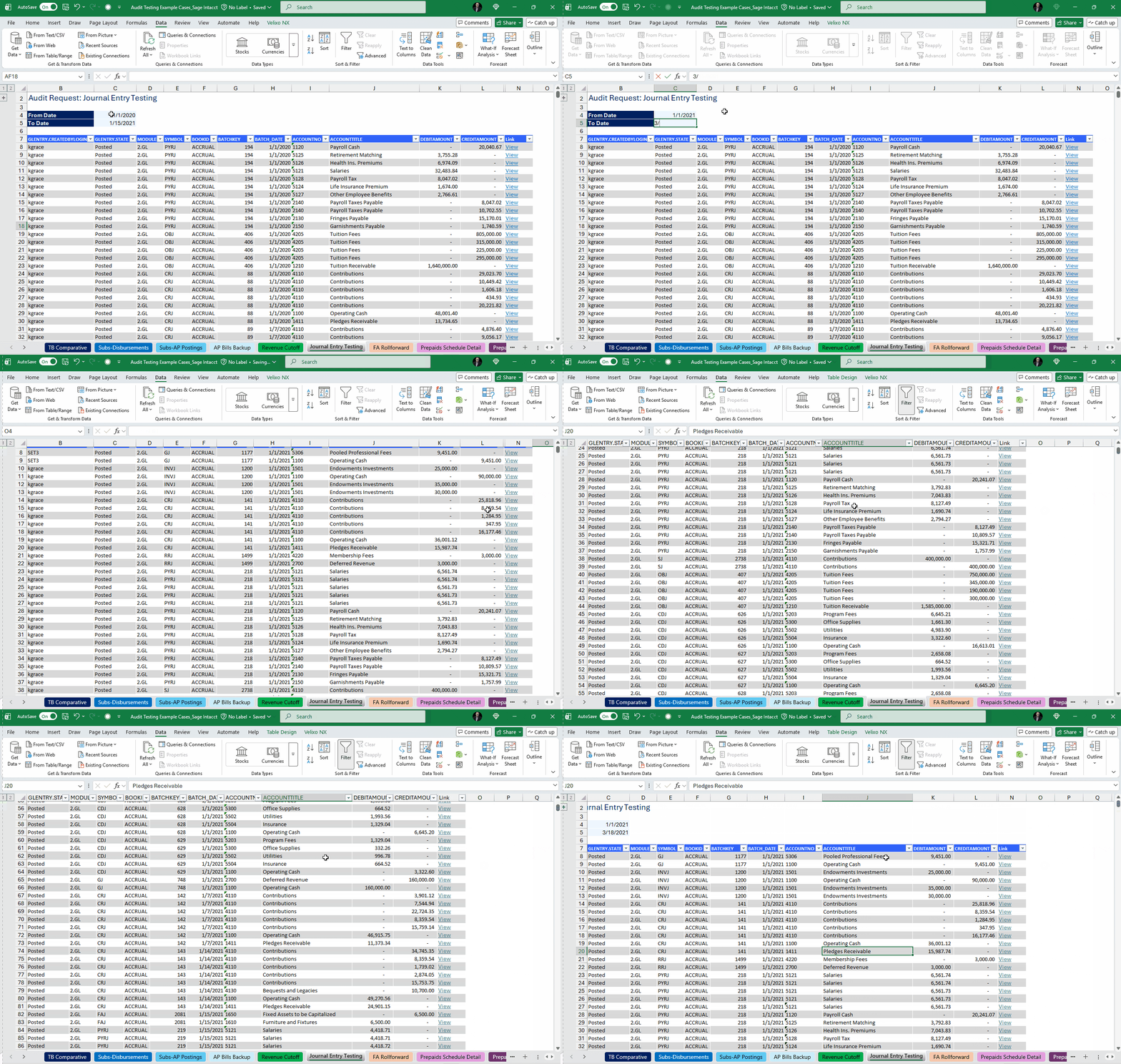
Velixo’s query functions, paired with the Query Builder, are designed for exactly this kind of work. Instead of exporting data and reshaping it offline, you can query ERP data directly into Excel and keep that data live. The query logic itself becomes part of the workbook.
Query Builder removes much of the technical friction from this process. Finance teams can build and reuse queries without writing complex formulas, while still maintaining clear, explicit logic. For teams that prefer functions, the same queries can be written directly using Velixo’s Sage Intacct or Acumatica query functions. The underlying objects differ by ERP, but the workflow and outcome remain consistent.
From a control standpoint, this matters because the logic is reusable. When an auditor asks for a revised population or a new cut of the same data, you are adjusting parameters, not starting over. The same query can support multiple schedules, reviews, or follow-up requests.
From a flexibility standpoint, it keeps edge cases manageable. Manual journals, unusual transactions, or late adjustments can be isolated quickly without breaking the structure of the work you have already done.
Real life example
During fieldwork, an auditor requests a listing of manual journal entries posted after a specific cutoff, filtered by preparer and approval status. The finance team adjusts parameters on an existing query and refreshes the schedule. The same logic is reused, documented, and tied back to the ERP without building a new report from scratch.
5. Distribute reports consistently and preserve what was actually reviewed
Inconsistent distribution creates problems long before anyone questions the numbers.
Different versions get sent to different people. A file that was reviewed internally is not the same one an auditor or board member receives. Follow-up questions become harder to answer because no one is completely sure which version they are talking about.
Velixo provides a set of controls that address this directly. Freeze and Snapshot serve different but complementary purposes during close and audit cycles. Freeze allows teams to lock a report during review so the content cannot change unintentionally. Snapshot creates a point-in-time copy that reflects exactly what was reviewed and approved.
From an audit and third-party perspective, this matters because it establishes clarity. There is a clear understanding of what was shared, when it was generated, and what data it represents. That removes ambiguity when questions come back later.
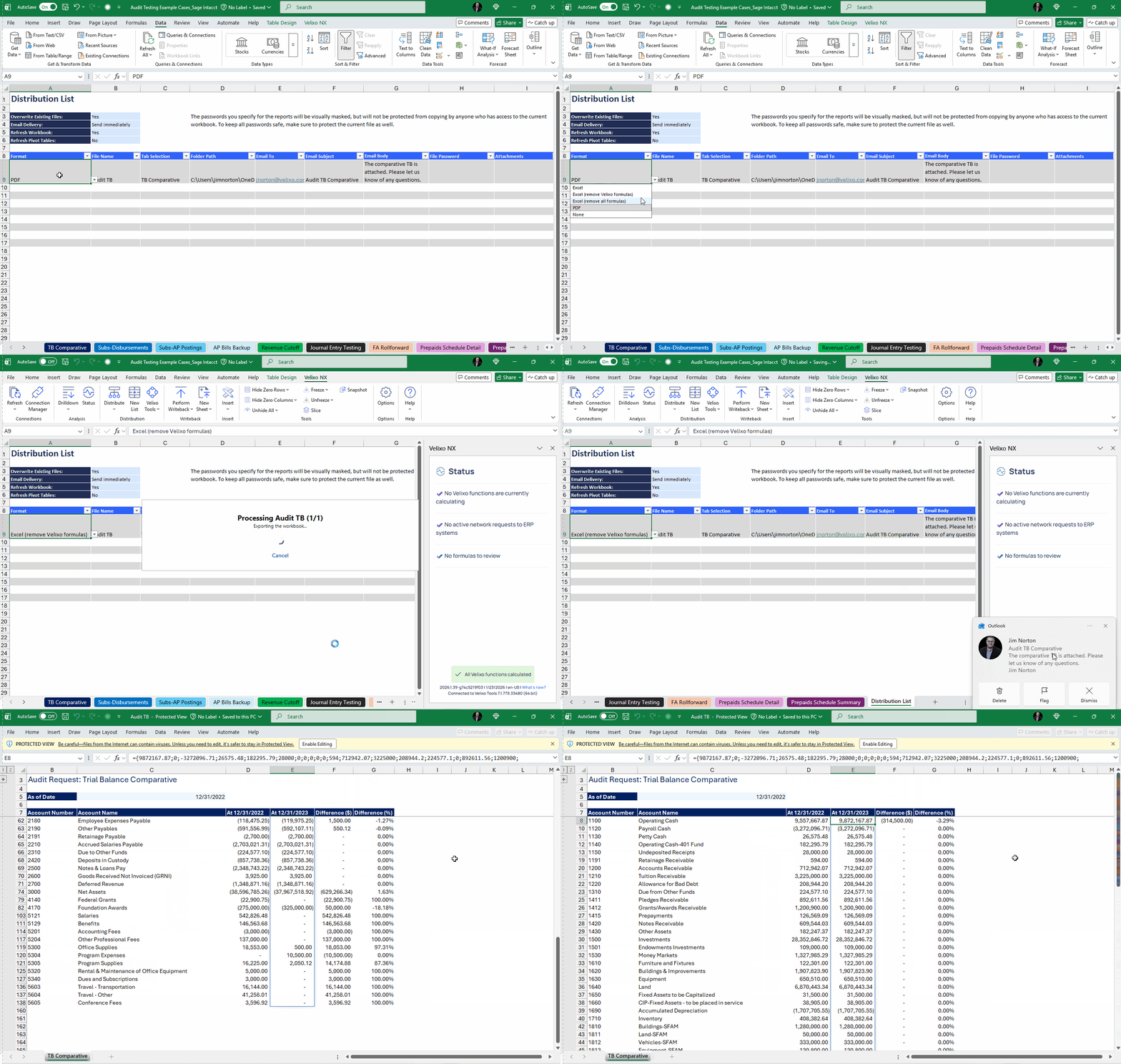
Distribution lists complete that workflow. Reports and snapshots can be sent to predefined groups automatically, including auditors, board members, or other stakeholders who do not have Velixo licenses. Everyone receives the same version, with the same supporting context.
Real life example
At quarter end, management reviews a frozen set of financial statements internally. A snapshot of that same package is distributed to the audit team and the board using a predefined distribution list. When questions arise weeks later, everyone is referencing the same version that was formally reviewed and approved.
Closing thought
Having lived through audits as an auditor, then as the person responsible for getting an organization through them, I have a lot of respect for how much work sits behind a clean set of financials.
The closes and audits that go well usually have one thing in common. The reporting environment supports the way the team actually works. Numbers stay connected to detail. Support stays tied to transactions. What gets reviewed is clear, and what gets shared is consistent.
Velixo fits into that reality in a very practical way. It helps teams keep their close materials current, traceable, and defensible without turning audit preparation into a separate, parallel process.
That is what makes perpetual audit readiness achievable. Not perfection, not extra effort, just a reporting environment that holds up as the work moves forward.
Learn more about making your organization perpetually audit ready