


Supercharge Your Estimates with STACK for Excel
Velixo for STACK is sold by STACK as STACK for Excel! It is a new solution that eliminates the hassle of manual exports and transforms how construction teams estimate, analyze, and report on projects. STACK for Excel gives estimators the flexibility to integrate STACK directly into their existing estimating worksheets.



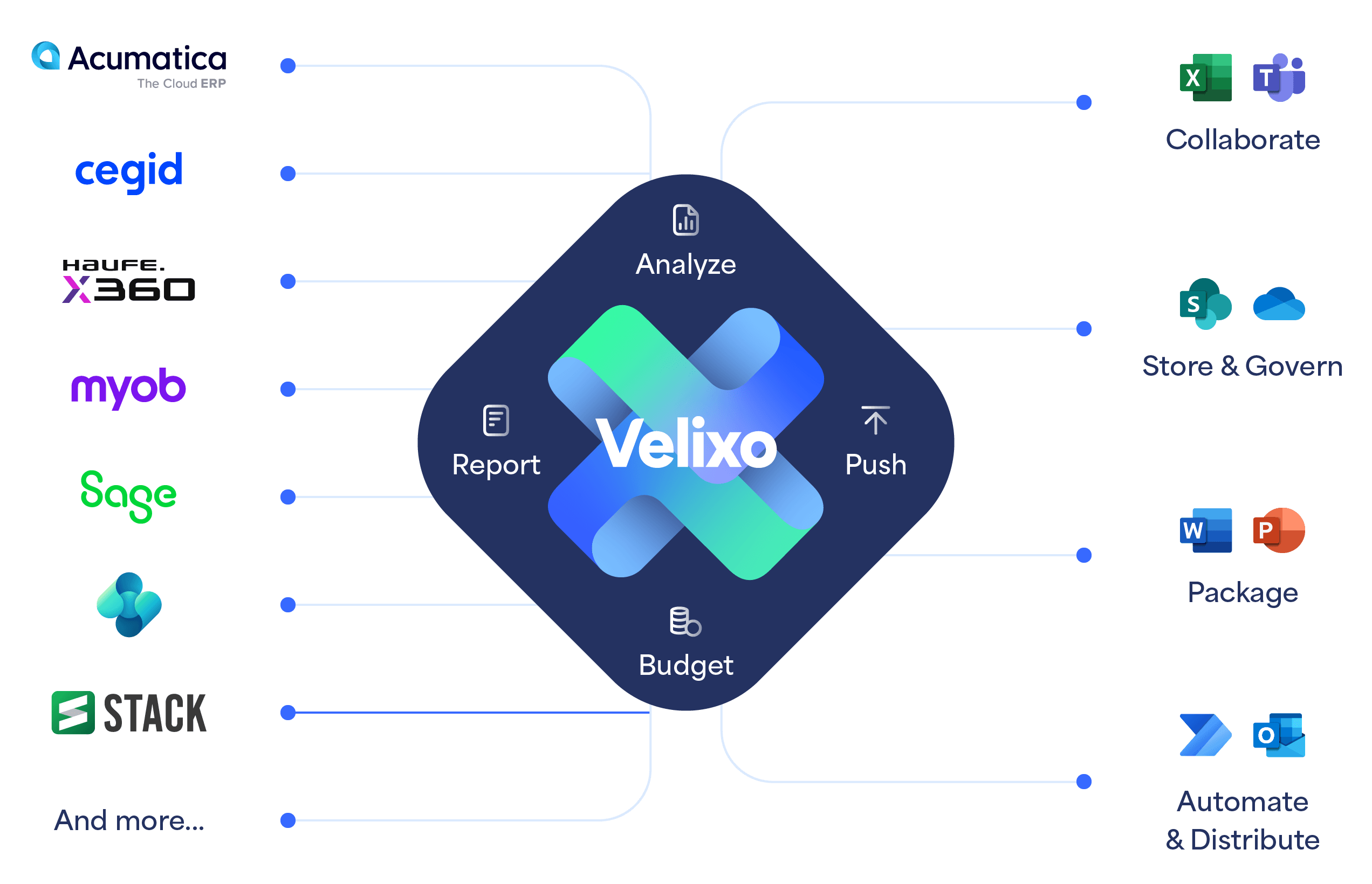
STACK + VELIXO
The Missing Link Between Takeoff and Reporting
Every takeoff leads to an estimate. Now, you can get there faster and more accurately than ever before. STACK for Excel, powered by Velixo, is a secure add-in that pulls your STACK data directly into Microsoft Excel - eliminating the need for manual exports and copy-pasting. Whether you need the flexibility of a spreadsheet or the power of a custom report, STACK for Excel keeps your data live, accurate, and fully customizable.
Automatically Build Proposals
Build custom reports, proposals, and more driven by seamless, real-time STACK data directly within Excel.
Data All in One Place
Merge STACK info with financial data inside Excel providing end-to-end project visibility.
Save Time & Boost Efficiency
Continue to utilize your existing Excel estimating process with direct input from STACK. No more downloading and manipulating CSVs.
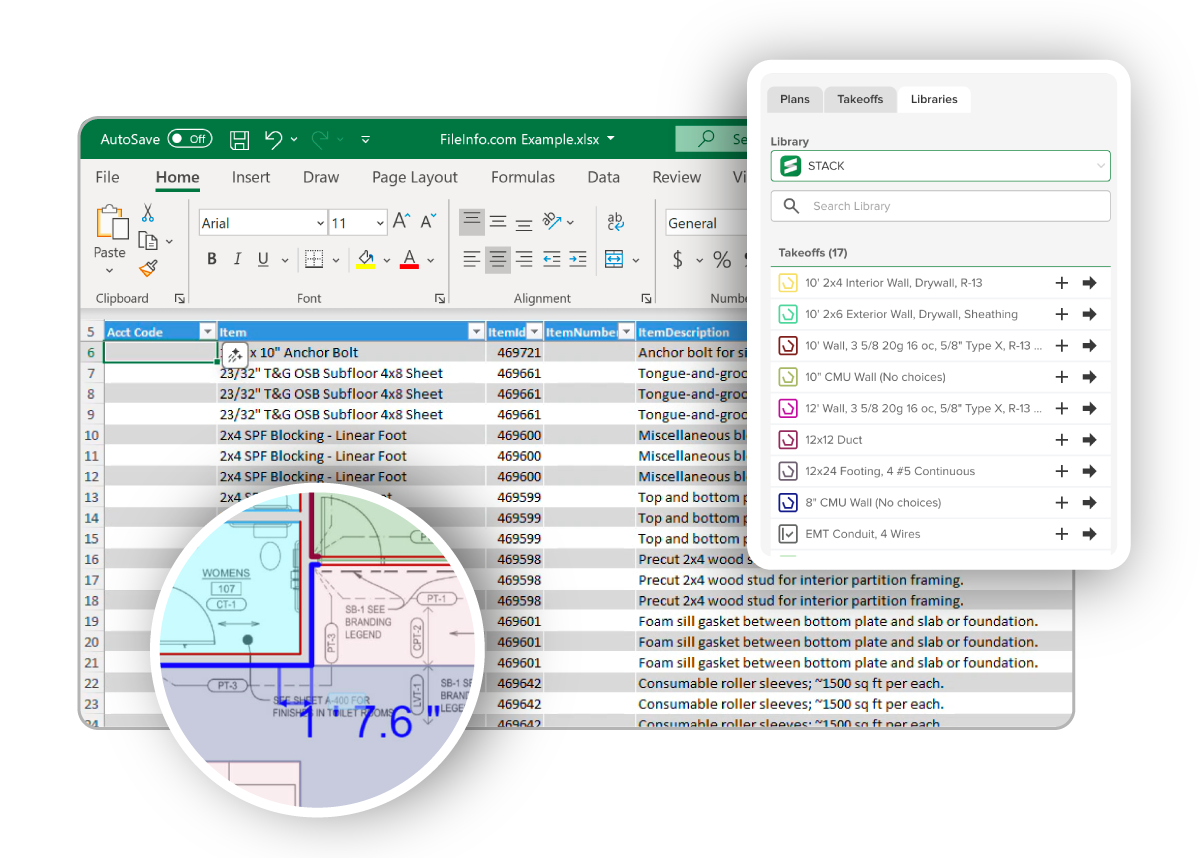
Why Connect STACK with Excel using Velixo?
- Real-Time Data Sync: Your spreadsheet is no longer a static snapshot. It is a live dashboard. When you add items or change quantities in STACK—like adding new doors to a plan—a simple “Refresh” in Excel updates your estimate instantly.
- Zero Manual Entry: Stop manually typing numbers. Use simple functions to pull exact quantities, item names, labels, and tags directly from your project. This reduces human error and ensures your bid matches your takeoff 100%.
- Hybrid Power: Combine the automation of STACK with the flexibility of Excel. You can mix STACK data (like quantities) with your own Excel formulas (like unit costs or custom markups).
- Create Jobs from Estimates: Turn your winning bids into active projects seamlessly. You can now use your estimate data to create a job directly, smoothing the handover from preconstruction to project management.
- Advanced Construction Reporting: Leverage Velixo’s powerful financial and construction reporting tools to go beyond simple estimates. You can track job performance, compare budgets with actuals, and forecast your cost-to-complete with precision. Handle complex construction needs like WIP (Work in Progress) reports, commitment analysis for subcontracts, and “Pay When Paid” cash flow tracking – all directly from Excel.
A 5-Step Workflow
STACK for Excel integrates naturally into your workflow using standard Excel formula nomenclature.
Use a simple function to get live takeoff quantities, items, and labels for a specific sheet directly into your workbook.
Add your own columns for labor rates, material costs, and margins using standard Excel inputs. These manual entries stay in sync even when the STACK data refreshes.
Design the proposal, page layout, or report exactly how you want it to look for printing or PDF export.
As the design changes, simply refresh your sheet. New line items from STACK appear automatically without breaking your existing formulas or structure.
Once your estimate is finalized, use Velixo’s writeback feature to push the updated job and estimate data directly to any supported ERP. This ensures your project management and accounting systems reflect the winning bid instantly, without re-keying data.
From there, Velixo becomes your ongoing project control center. As the job progresses, you can report on budgets, commitments, costs, and revenue in real time, all directly in Excel. Compare original estimates to actuals, track variances, monitor profitability, and analyze performance across projects, phases, or cost codes. With live ERP data and flexible reporting, Velixo gives project managers and finance teams a shared, always-up-to-date view of project health—from bid to completion.
What They Say About Us
I am impressed by the ease of interaction with the Velixo Team. It is refreshing to get immediate answers, and more importantly solutions to, in some cases, complex requirements. Other reporting tools can look intimidating with a steep learning curve. Through the use of Excel, Velixo eliminates those concerns. Velixo is an attractive proposition to most prospects and existing clients in the Construction industry.

By leveraging our strong relationship and collaboration with Velixo, we can now offer several critical solutions to our clients such as: Project Cost Forecast (CAC) with Writeback, Substantiated Billing to collect data and images (invoice documents etc.) related to the specific project and time periods, Pay When Paid to collect data related to payments received on the projects and related to the payment requests downstream.

Typically, when I go through monthly updates for all the projects and budgets, it would take me roughly 1 week to finish all updates. Now, I can do it in a single day! All I have to do is refresh the workbook. As long as I have my dates right, I have everything in the blink of an eye!

Velixo has already given us better visibility and made us more efficient. I estimate that using the Cost to Complete report alone, we save between 24 to 32 hours across our 6 project managers, every month. And now I also get all my data from them, on time!

