

Excel Reporting for Business Central: Why the Reporting Layer Lives Outside the ERP


The most important reports in any finance department don’t live inside the ERP. The board deck, the lender package, the consolidated P&L with custom allocations all live in Excel. Excel reporting for Business Central isn’t a sign that something went wrong with implementation. It reflects a basic reality: ERP systems record transactions, and finance teams need a reporting layer they can control independently.
Business Central does its job well, but native reporting tools hit a ceiling as soon as requirements start evolving faster than the system configuration can keep up. This blog looks at where that ceiling sits, what it costs to work around it inefficiently, and how a live Excel connection changes the calculus.
Where the Ceiling Shows Up
Account Schedules (Financial Reports), dimension filters, and standard outputs cover the fundamentals. Most teams get through the first few reporting cycles without issues.
Then the requests start outpacing the configuration. A view that cuts across dimensions in a way the system wasn’t set up for. An allocation method that doesn’t map to how transactions are posted. A second entity with a different chart of accounts that needs to roll into a consolidated view.
These aren’t special cases, they’re the normal trajectory of a growing business. However, inside Business Central’s native tools, each one becomes a scoping conversation. Excel reporting for Business Central becomes essential at that point, not because the system failed, but because the reporting needs moved past what the system was designed to serve.
Why this doesn’t get solved at implementation
Financial reporting requirements are fluid while ERP configurations need to be stable. The chart of accounts, dimension structure, and posting rules have to stay consistent for transaction integrity. Reporting needs don’t operate under that same constraint, shifting every quarter or every month as stakeholders ask different questions.
No amount of upfront planning eliminates that tension.
The Cost of Static Excel Workflows
Most finance teams already have a fix: export the data, build the report in Excel, move on. The issue isn’t the approach. It’s the compounding overhead when that approach relies on static data.
Every time the source data changes, exported reports go stale. For a straightforward report the refresh is quick. For a multi-tab workbook with allocations, eliminations, and consolidated views, it’s a meaningful time investment that repeats every cycle.
Then there’s the concentration risk. One or two people on the team know how the key workbooks are built. When they’re unavailable, the reports wait. That dependency surfaces at the worst times: close week, audit prep, an urgent request from leadership.
And without a live data connection, version control becomes its own workstream. Multiple people working from static data in overlapping files creates coordination overhead that adds no value to the output.
None of this is unfamiliar to anyone who’s been through a few close cycles. The question is whether the current process scales or whether it just survives.
What a Better Excel Reporting for Business Central Workflow Looks Like
The requirements are straightforward. Finance needs to own the report structure without involving IT or consultants for every change. The reporting layer needs to operate independently from the transaction layer so that presentation changes don’t create system risk. The data needs to stay current without manual refresh steps. And it all needs to happen in Excel, because that’s where finance teams are most productive.
A live connection to Business Central satisfies all of those. You write formulas that pull balances, transactions, and dimensions directly from the system. The report structure is yours to define and evolve. The data refreshes on demand.
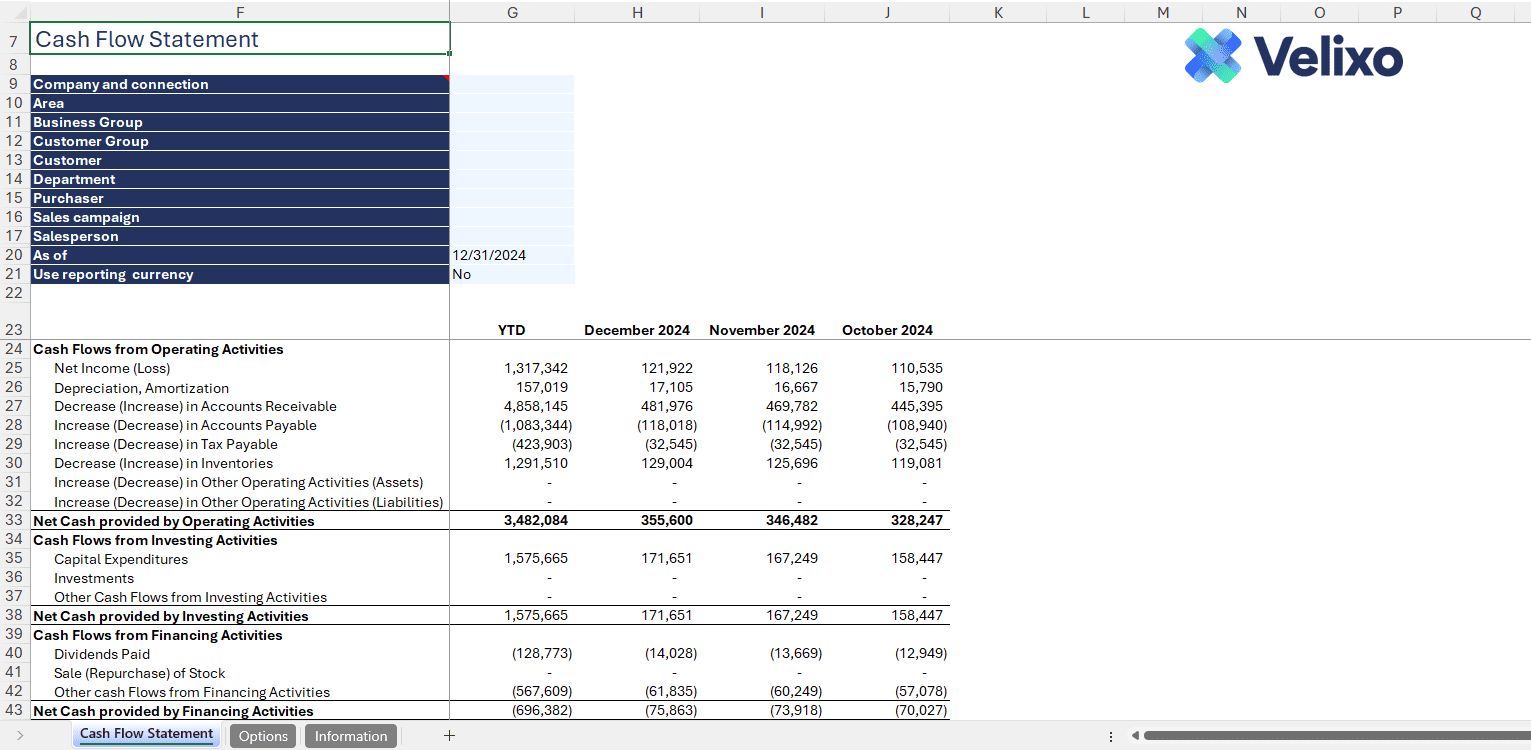
In practice, that means month-end reporting compresses significantly because you’re refreshing a workbook instead of rebuilding data references. Ad hoc requests become a matter of adjusting formula parameters instead of starting a new export. Multi-entity consolidation becomes a repeatable workbook instead of a recurring project. Audit support improves because the formulas trace directly back to the system, so the reconciliation conversation is already answered in the cell.
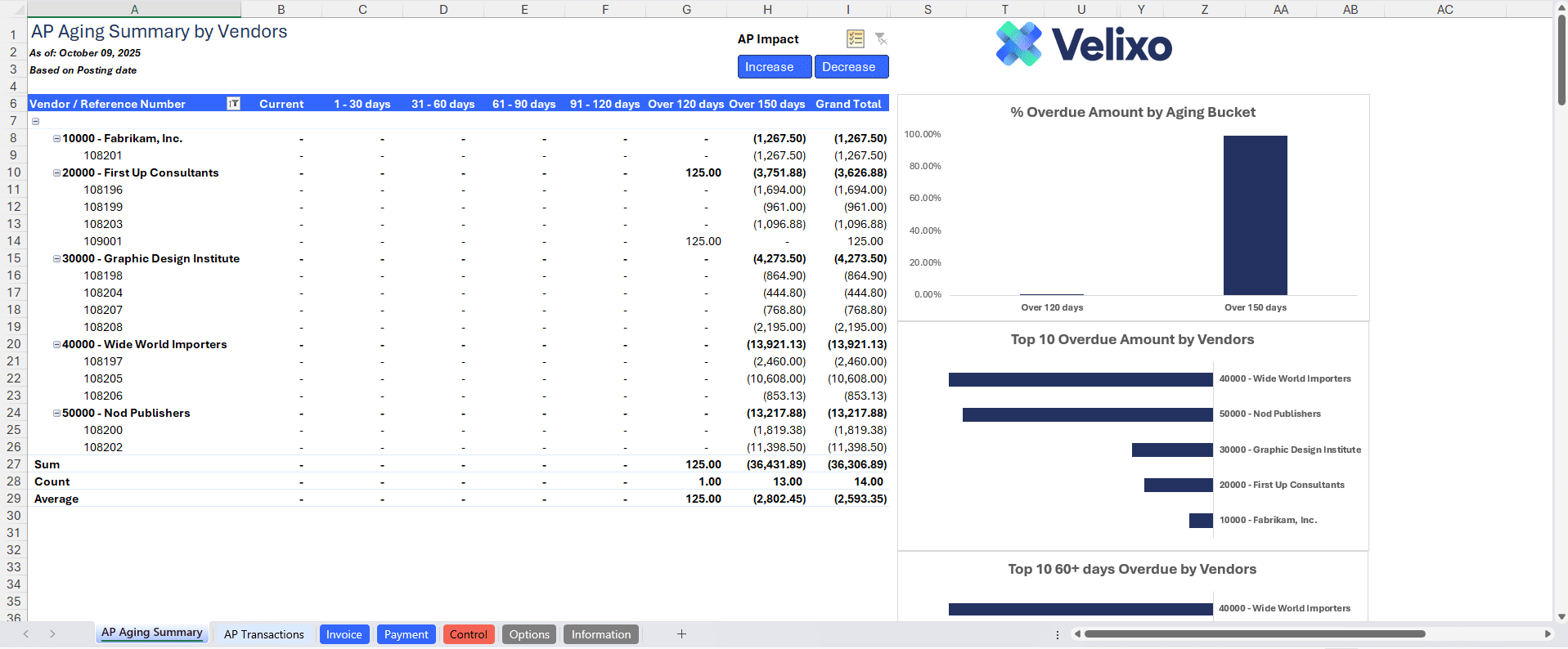
Workaround vs. Strategy
Every finance team has a process that works. The distinction is whether that process creates more overhead as the business grows or whether it holds steady.
Static exports create a linear relationship between complexity and effort. Every new entity, reporting requirement, or structural change adds another manual step. Excel reporting for Business Central built on a live data connection breaks that relationship. The structural work compounds in your favor because what you build this month carries forward to the next.
Getting Started
Pick the report that costs the most time each cycle, or the one most likely to break. Connect it to Business Central through Velixo, replace the static data references with live formulas, and run it through one close.
Same structure, same control, same Excel environment. The difference is that it doesn’t need to be rebuilt next month.