

Acumatica Construction
A set of real-time and bidirectional features with pre-built Excel-based reports. Streamline reporting and internal workflows, and significantly boost your productivity with Velixo for Acumatica Construction.



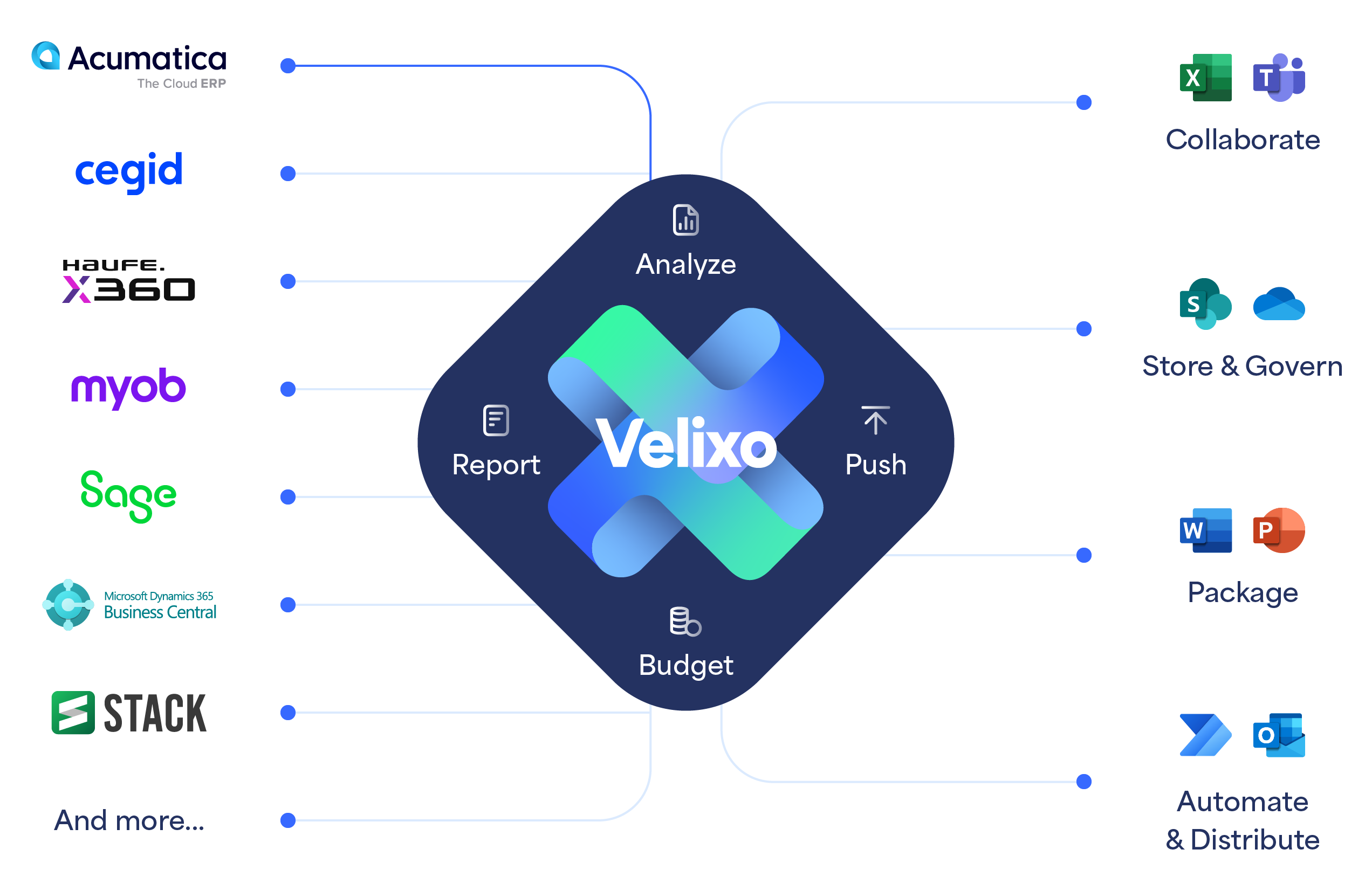
Designed for Acumatica Users, Built for Construction
Velixo bridges the gaps between Acumatica and Excel, providing a comprehensive Construction solution built specifically to extend Acumatica's unique capabilities.




Our Pre-Built Templates
A subset of the Velixo for Acumatica Construction Templates

Type: Forecasting (uses: Cost Projection Writeback)
Persona: Project manager, Director of Construction
- Track the costs associated with each cost code of a project over time.
- Analyze key financial, purchasing and project data to remain on-time and within contractual budgets.
- Input Cost to Complete Amount, Hours or as a data to forecast the projected Over/Under value of a project
↑Create the Cost at Completion as a Cost Projection in Acumatica, using Velixo Writeback.
Available as 3 input versions: Amount, Percent, and Manual.

Type: Reporting (uses: Journal Writeback)
Persona: CFO, Accountant, Controller
An essential part of Project accounting for the Construction industry. It calculates the progress of all ongoing work, allowing an accountant to see what’s been done and what’s left to do, to manage budgets effectively.
↑Create WIP Adjustment GL Journal (Journal Writeback)

Type: Reporting
Persona: CFO, Accountant, Controller
A project accounting report that analyzes Actual Revenue (billings) and Actual Cost to calculate Actual Profit, for the current month and to date, by projects.
This report also includes extra metrics based on the revised Contract value to provide additional information on the completeness of the project, e.g. % Complete, Commitments Balance to Invoice.

Type: Reporting
Persona: CFO, Director of Construction, Project manager, AP managers
Designed to provide a detailed analysis of commitments by cost code.
This report is typically used by Project managers, AP managers or accountants to track financial commitments, analyze detailed transactions and balances for each purchase commitment to vendors. This ensures effective cost management and makes sure all necessary suppliers and services are accounted for, throughout the lifecycle of projects.
Type: Reporting
Persona: CFO, Accountant, Controller
Description:
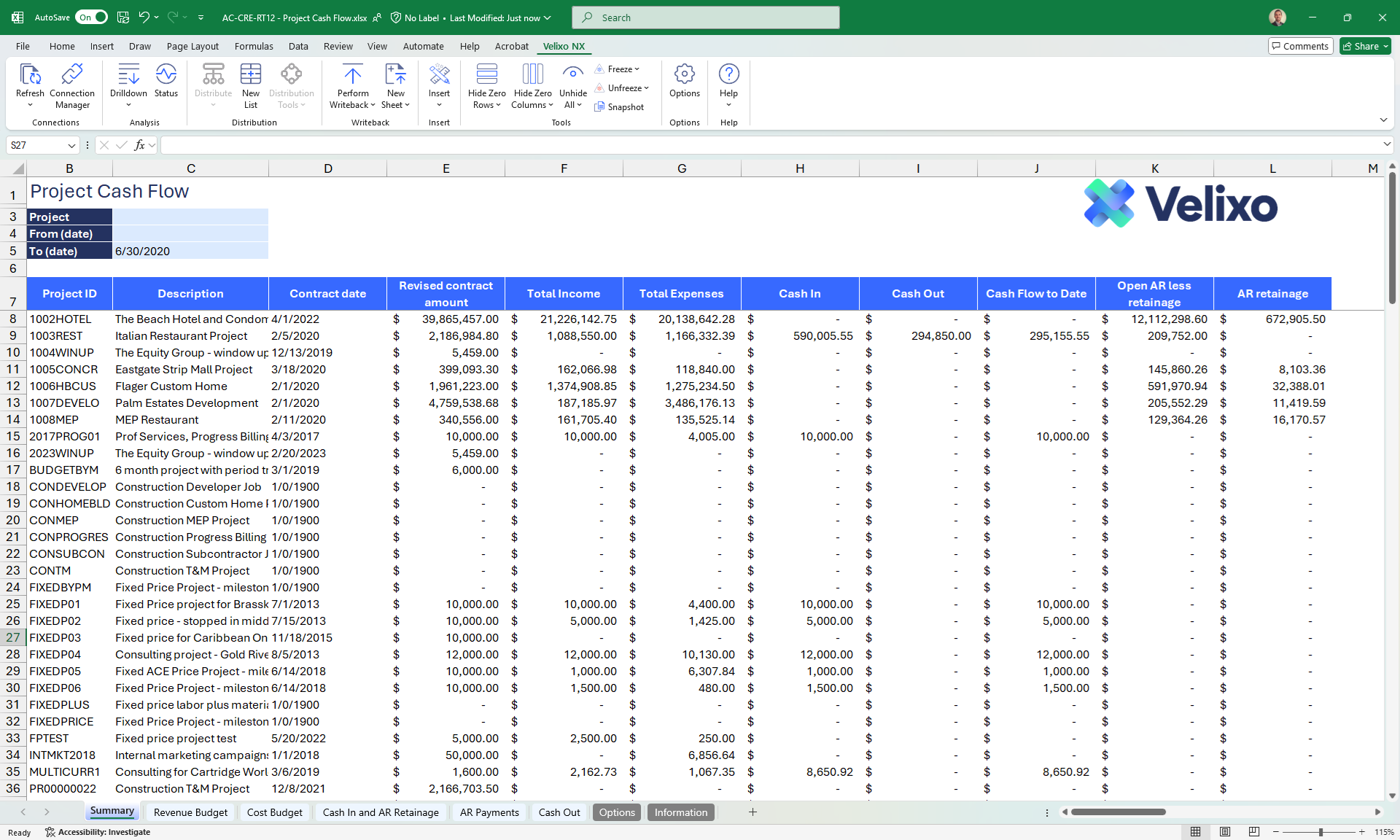
A project accounting report that analyzes cash inflows and cash outflows for one or multiple projects, for a date range.
This report is particularly useful as it allows a finance professional to not only analyze summarized cash inflows and outflows but also the detailed transactions that make up each metric of the summary (from the subledger sheets).

Type: Forecasting (uses: Project Forecast Writeback)
Persona: CFO, Director of Construction
Enables a CFO to forecast costs over time in the future at the project cost code level, based on the latest cost projection and the actual JTD figures, and using the project timeline. This report then allows creating new Project Forecast entries that may be used in a Cash Flow Forecast report.
The critical metrics/options of the Template:
- Cost at Completion
- Remaining Cost to Distribute
- Distribution methods: Front-loaded curve, Back-loaded curve, Bell curve, Linear or Manual entry.
↑Create new monthly Project Forecast entries and Update Project Budget
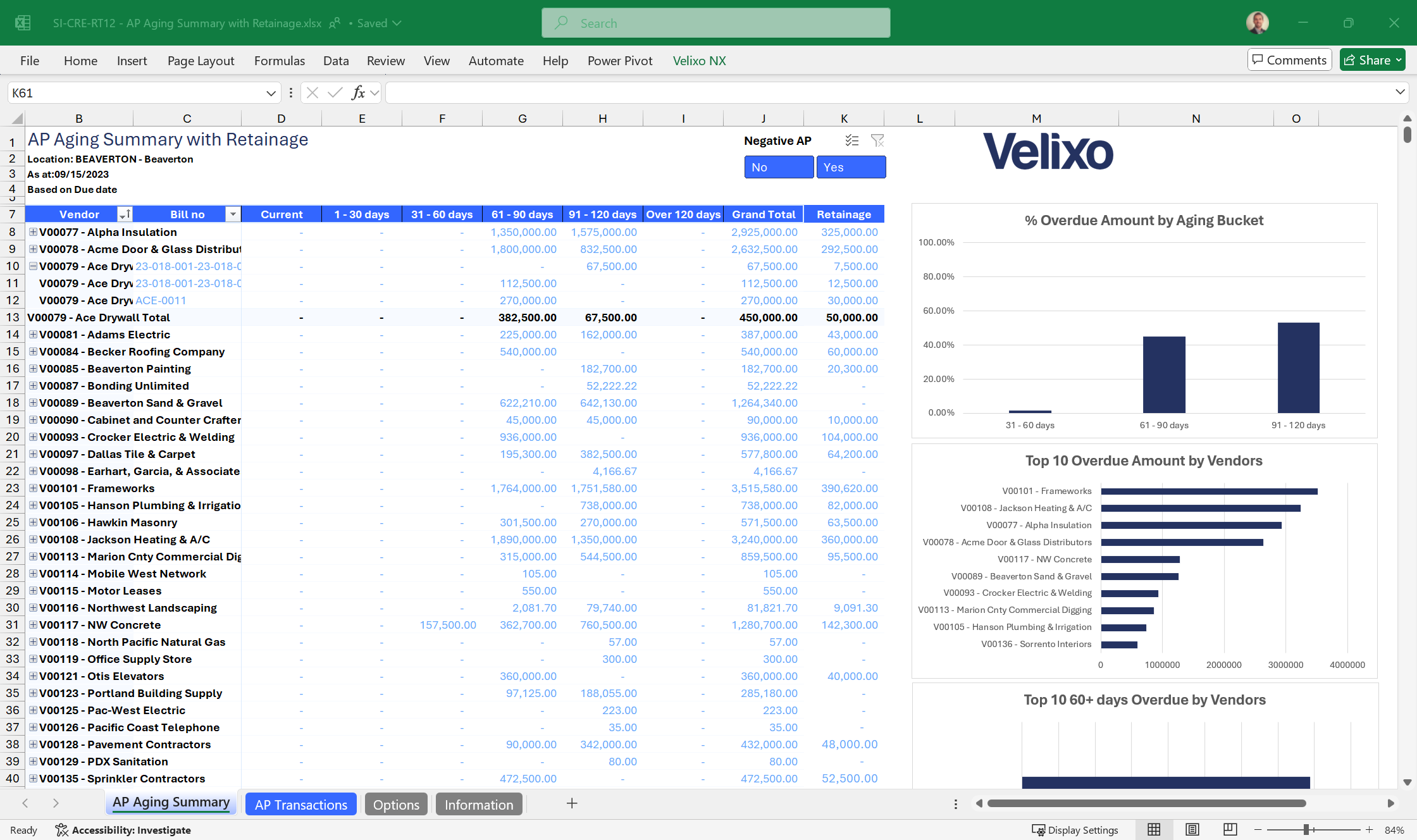
Type: Reporting
Persona: Finance professionals, AR/AP managers
Gives a quick overview of the amounts due to customer/vendors, sorted by age of the outstanding balance and organized in configurable bucket of days. Also includes the retainage amounts withheld for ongoing construction projects.
This report provides important information for managing cash flow, prioritizing payments, and nurturing good relationships with vendors. It also offers visibility into funds that are being retained until the projects are completed.
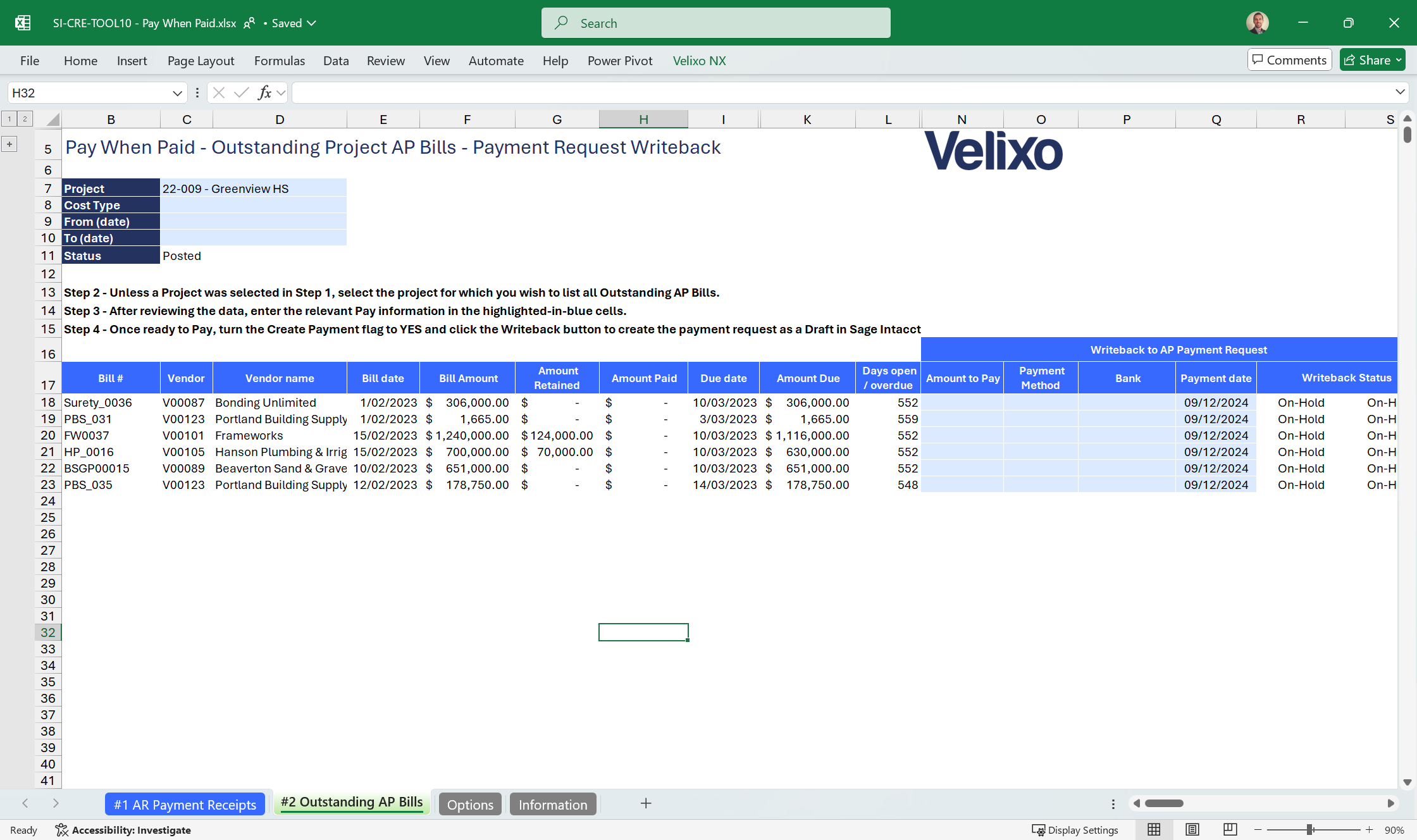
Type: Tool (uses: Universal Writeback)
Persona: Finance pro., AR/AP manager
Designed to monitor and manage the flow of cash from an Accounts Receivable (AR) and Accounts Payable (AP) perspective. This report enables the careful monitoring of income and expenditures for a given period and enables finance professionals to strategically time the payment of AP bills to vendors when AR is received.
Additionally, armed with information about paid invoices per project, this template enables users to create new Payment requests for each outstanding AP bills of the project.
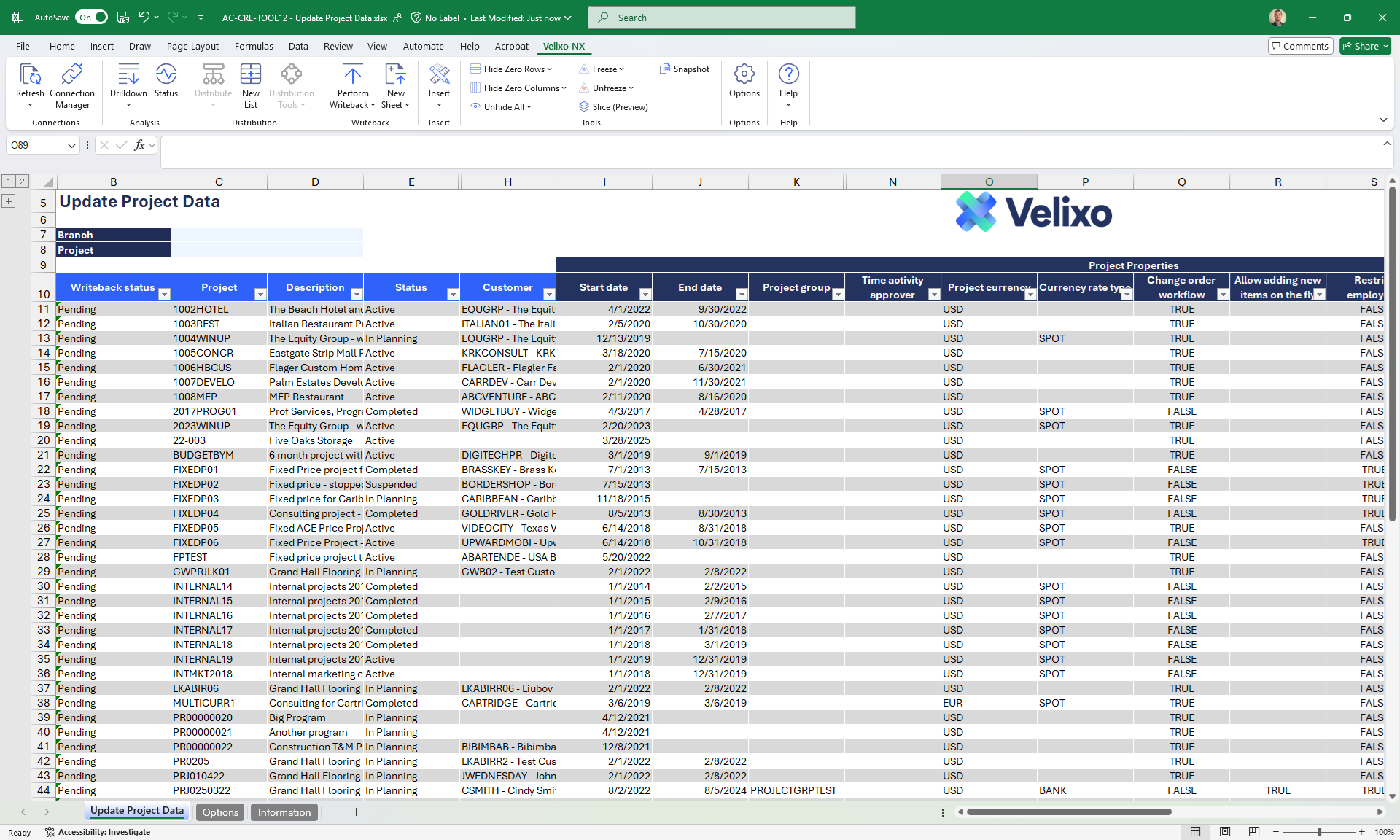
Type: Tool (uses: Universal Writeback)
Persona: Project manager, Analyst, AP manager
Tools like the Update Project data Template provide users with workbooks that let them rapidly review multiple records for a given import scenario such as Project, Contract or AP Bills, modify any value and push the changes back to Acumatica in bulk, using Velixo Writeback.
Tool Templates are typically used for data quality purposes (missing or erroneous data) and mass updating certain properties, such as Due date for AP Bills, or Status for Project. There are also many use cases for creating new records directly from Velixo in Excel.
Type: Forecasting (uses: Cost Projection Writeback)
Persona: Project manager, Director of Construction
- Track the costs associated with each cost code of a project over time.
- Analyze key financial, purchasing and project data to remain on-time and within contractual budgets.
- Input Cost to Complete Amount, Hours or as a data to forecast the projected Over/Under value of a project
↑Create the Cost at Completion as a Cost Projection in Acumatica, using Velixo Writeback.
Available as 3 input versions: Amount, Percent, and Manual.
Type: Reporting (uses: Journal Writeback)
Persona: CFO, Accountant, Controller
An essential part of Project accounting for the Construction industry. It calculates the progress of all ongoing work, allowing an accountant to see what’s been done and what’s left to do, to manage budgets effectively.
↑Create WIP Adjustment GL Journal (Journal Writeback)
Type: Reporting
Persona: CFO, Accountant, Controller
A project accounting report that analyzes Actual Revenue (billings) and Actual Cost to calculate Actual Profit, for the current month and to date, by projects.
This report also includes extra metrics based on the revised Contract value to provide additional information on the completeness of the project, e.g. % Complete, Commitments Balance to Invoice.
Type: Reporting
Persona: CFO, Director of Construction, Project manager, AP managers
Designed to provide a detailed analysis of commitments by cost code.
This report is typically used by Project managers, AP managers or accountants to track financial commitments, analyze detailed transactions and balances for each purchase commitment to vendors. This ensures effective cost management and makes sure all necessary suppliers and services are accounted for, throughout the lifecycle of projects.
Type: Reporting
Persona: CFO, Accountant, Controller
Description:
A project accounting report that analyzes cash inflows and cash outflows for one or multiple projects, for a date range.
This report is particularly useful as it allows a finance professional to not only analyze summarized cash inflows and outflows but also the detailed transactions that make up each metric of the summary (from the subledger sheets).
Type: Forecasting (uses: Project Forecast Writeback)
Persona: CFO, Director of Construction
Enables a CFO to forecast costs over time in the future at the project cost code level, based on the latest cost projection and the actual JTD figures, and using the project timeline. This report then allows creating new Project Forecast entries that may be used in a Cash Flow Forecast report.
The critical metrics/options of the Template:
- Cost at Completion
- Remaining Cost to Distribute
- Distribution methods: Front-loaded curve, Back-loaded curve, Bell curve, Linear or Manual entry.
↑Create new monthly Project Forecast entries and Update Project Budget
Type: Reporting
Persona: Finance professionals, AR/AP managers
Gives a quick overview of the amounts due to customer/vendors, sorted by age of the outstanding balance and organized in configurable bucket of days. Also includes the retainage amounts withheld for ongoing construction projects.
This report provides important information for managing cash flow, prioritizing payments, and nurturing good relationships with vendors. It also offers visibility into funds that are being retained until the projects are completed.
Type: Tool (uses: Universal Writeback)
Persona: Finance pro., AR/AP manager
Designed to monitor and manage the flow of cash from an Accounts Receivable (AR) and Accounts Payable (AP) perspective. This report enables the careful monitoring of income and expenditures for a given period and enables finance professionals to strategically time the payment of AP bills to vendors when AR is received.
Additionally, armed with information about paid invoices per project, this template enables users to create new Payment requests for each outstanding AP bills of the project.
Type: Tool (uses: Universal Writeback)
Persona: Project manager, Analyst, AP manager
Tools like the Update Project data Template provide users with workbooks that let them rapidly review multiple records for a given import scenario such as Project, Contract or AP Bills, modify any value and push the changes back to Acumatica in bulk, using Velixo Writeback.
Tool Templates are typically used for data quality purposes (missing or erroneous data) and mass updating certain properties, such as Due date for AP Bills, or Status for Project. There are also many use cases for creating new records directly from Velixo in Excel.
Achieve significant outcomes
Save a tremendous amount of time and effort, and reach business outcomes faster
Make Key Decisions Faster
Get better visibility throughout departments and subledgers. Leverage Velixo purpose-built templates for key Construction use cases.
Save on labor costs, on all fronts
Reduce IT involvement, let users self-serve and be in control, thanks to real-time Excel features and ERP integrations.
Become more efficient
Through bidirectional automations that enable each team member to do their work faster and more accurately.
Our features
Unmatched self-service reporting, budgeting & automation experience.
Let users own their work, feel good and take back their time.
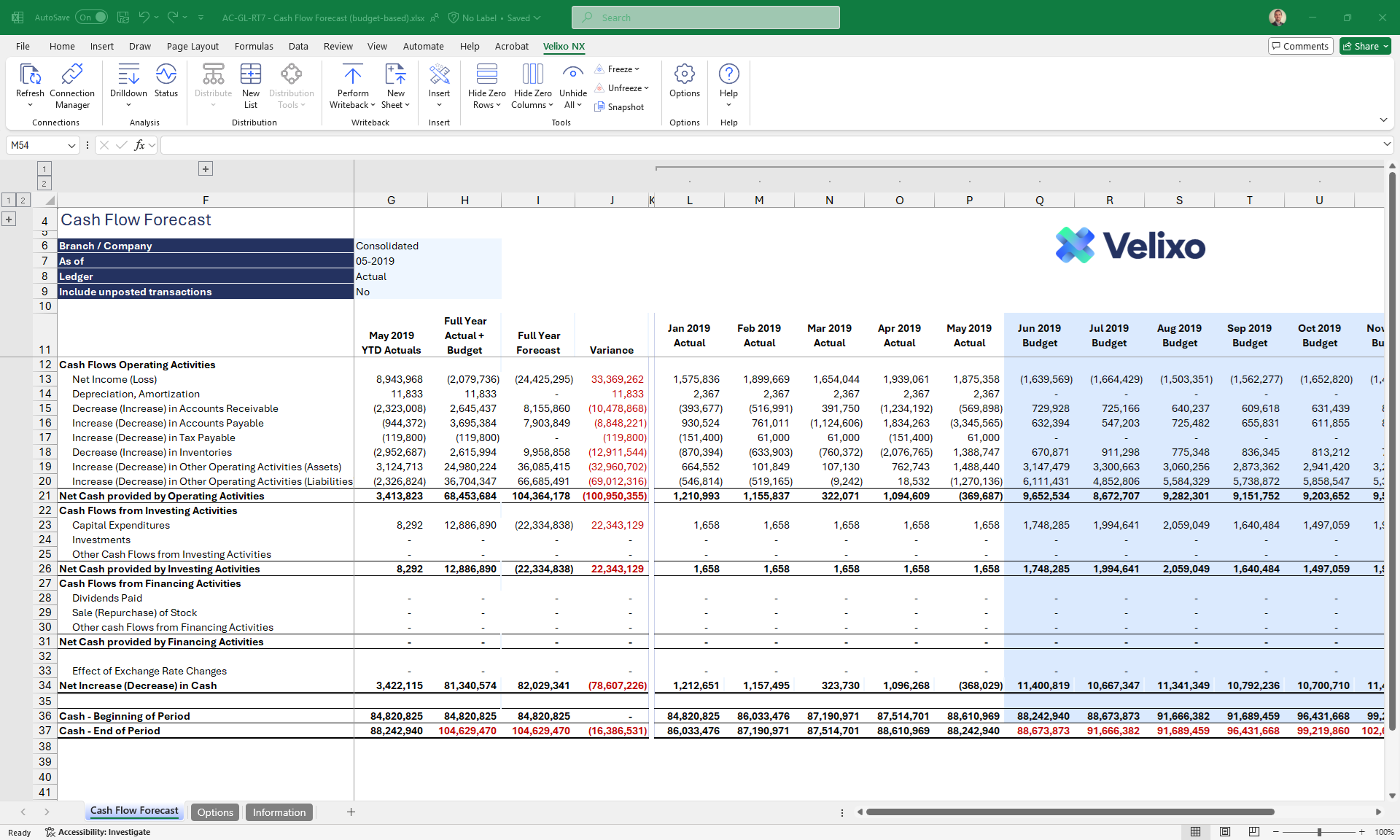
Report
Powered by Velixo Smart Refresh, we give you a real-time, full self-service reporting experience with specially designed Excel-like Financial and Project functions, all in the comfort of Excel. It will feel like a natural extension of Excel!

Analyze
Deeply integrated exploration features that let you analyze transaction details and jump back to Acumatica, for a fully connected and interactive experience.
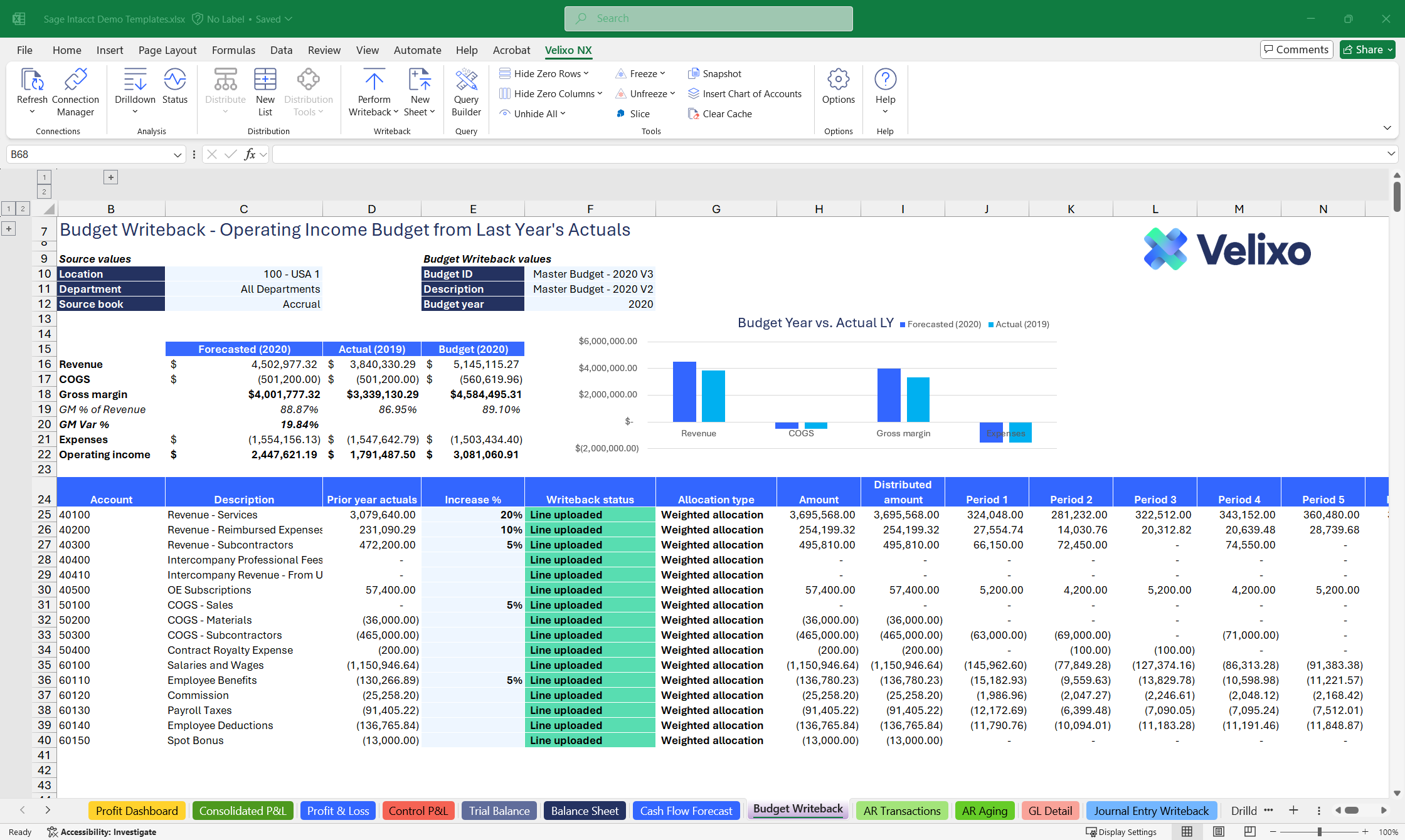
Budget & Plan
Create your budgeting & forecasting scenarios with confidence, with no limitations whatsoever, using our templates and writeback features.
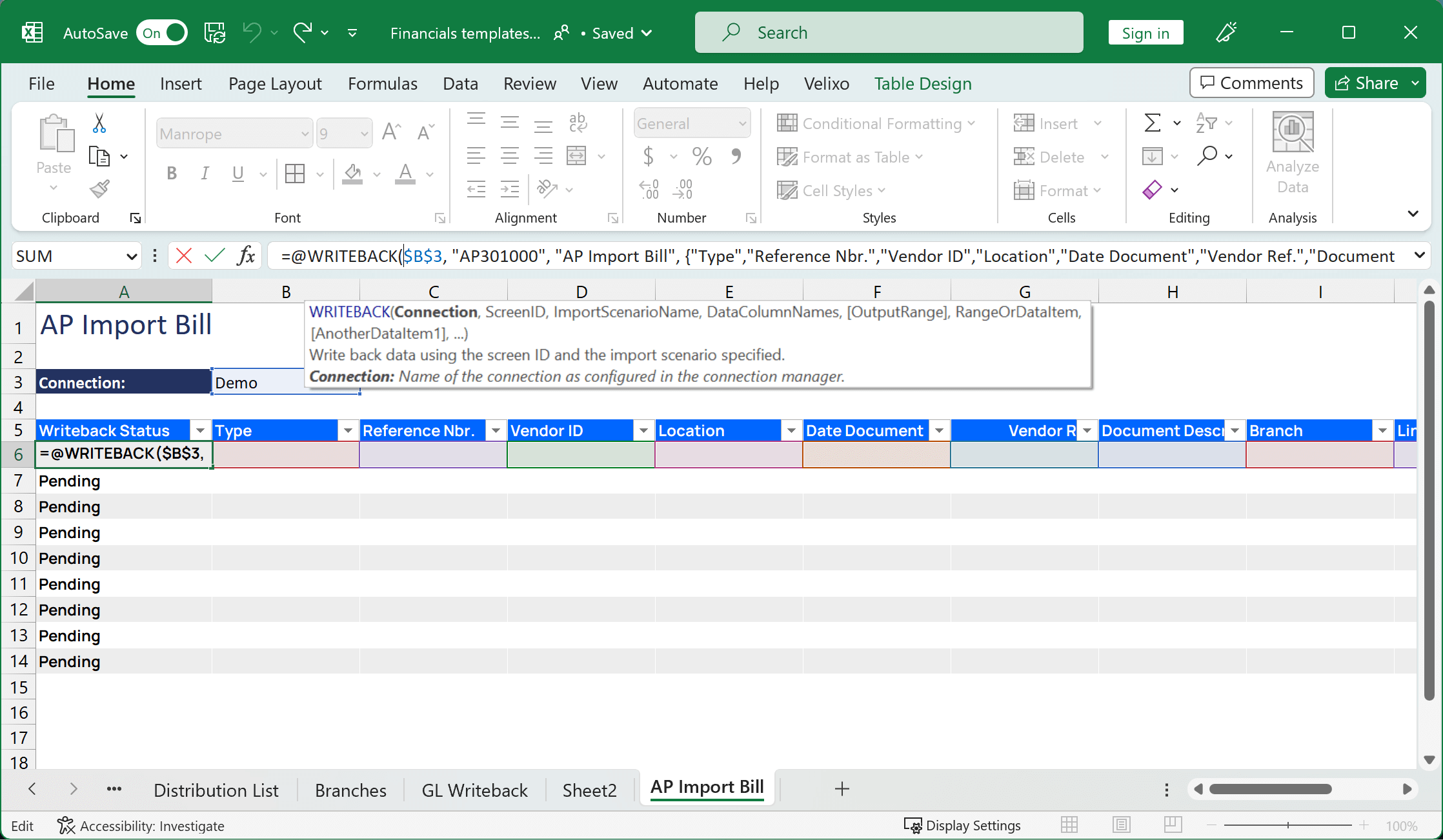
Push
Save days and remove manual data entry by automating data push from Excel directly to Acumatica, using our generated input forms and optimized Push features.
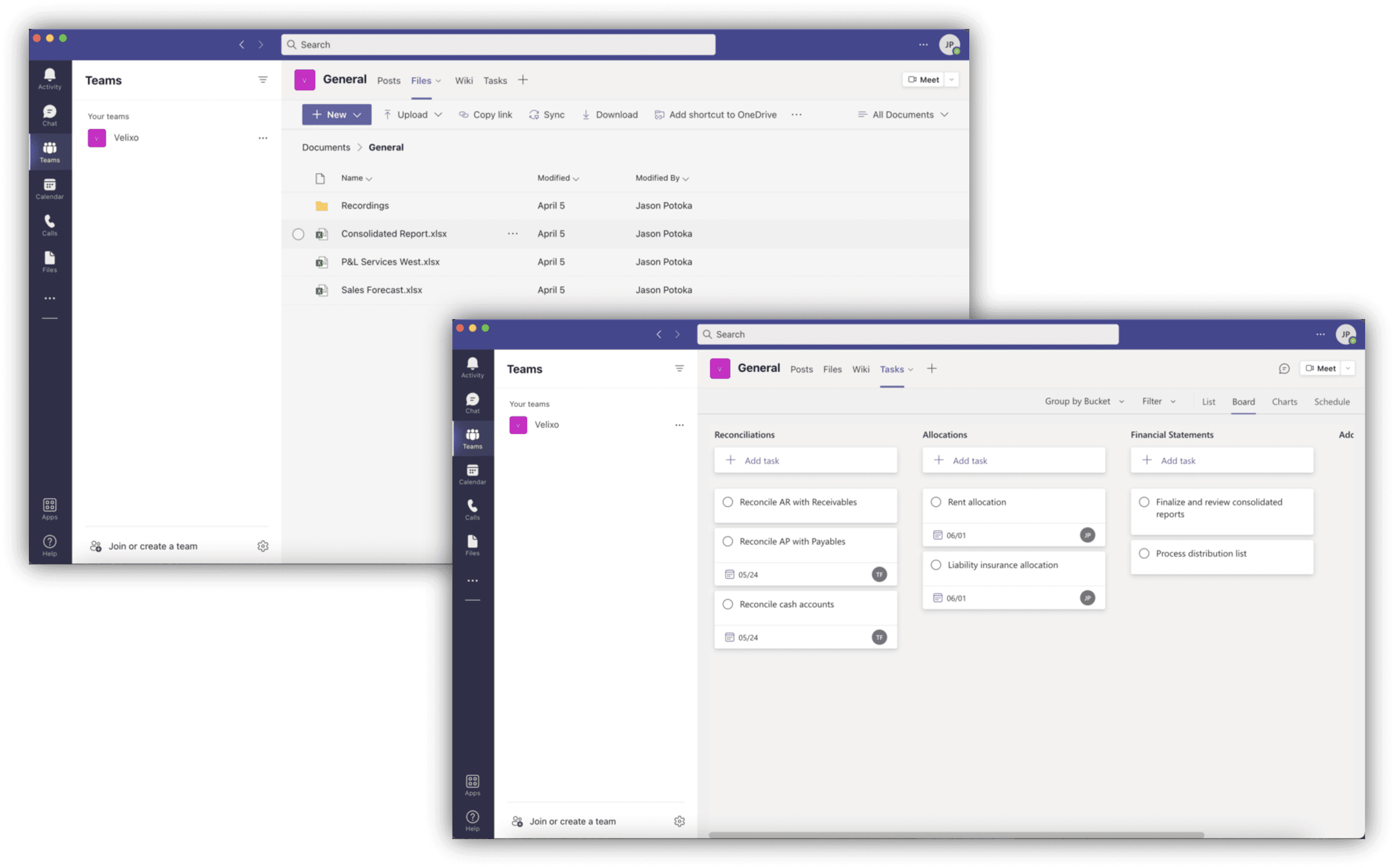
Govern & Collaborate
Automatic updates, no maintenance, native source authentication and security coupled with cloud centralization give you peace of mind that you can grow with confidence.
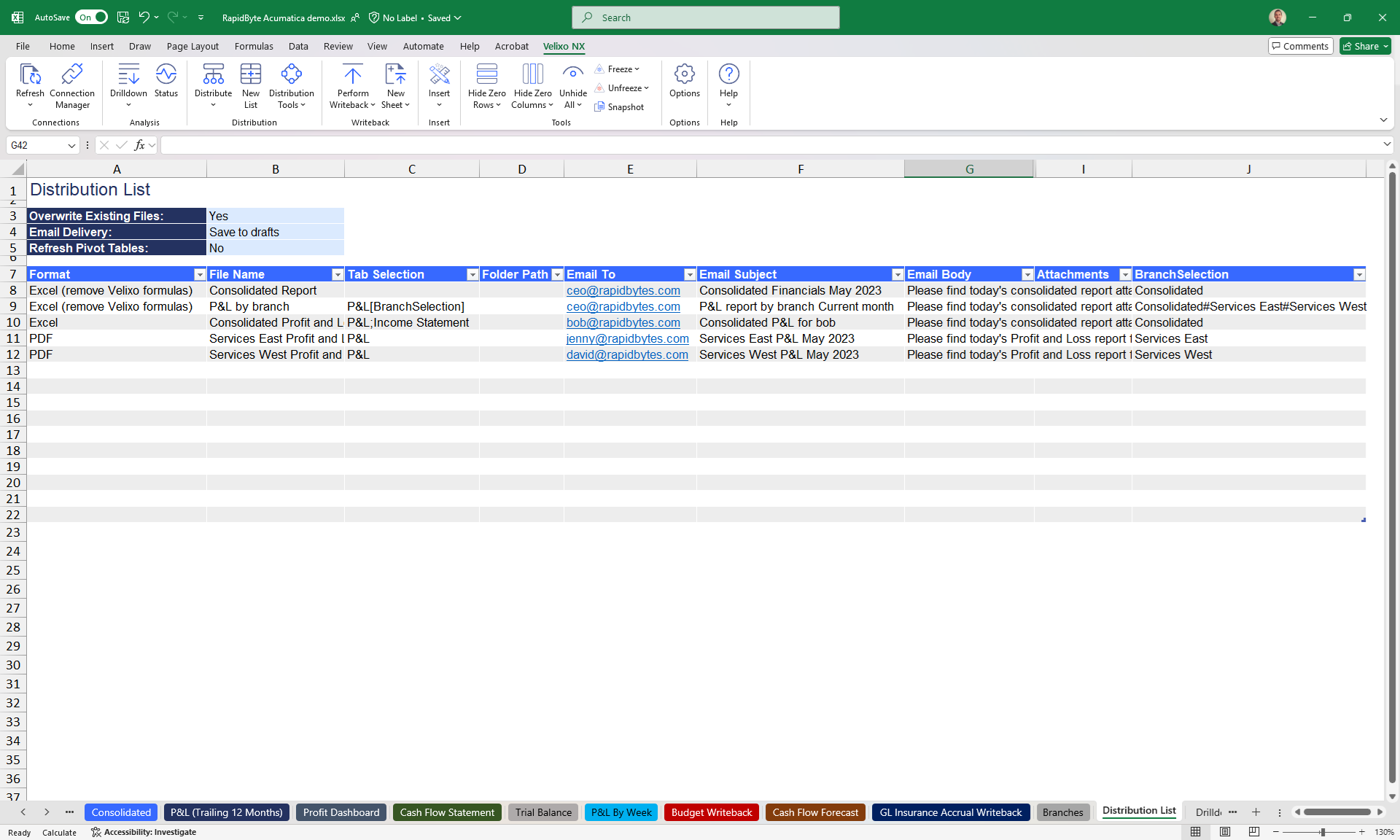
Distribute & Automate
Package your work, embed or distribute it using our email distribution features and native Microsoft 365 integrations. Velixo is highly integrated.
Report
Powered by Velixo Smart Refresh, we give you a real-time, full self-service reporting experience with specially designed Excel-like Financial and Project functions, all in the comfort of Excel. It will feel like a natural extension of Excel!
Analyze
Deeply integrated exploration features that let you analyze transaction details and jump back to Acumatica, for a fully connected and interactive experience.
Budget & Plan
Create your budgeting & forecasting scenarios with confidence, with no limitations whatsoever, using our templates and writeback features.
Push
Save days and remove manual data entry by automating data push from Excel directly to Acumatica, using our generated input forms and optimized Push features.
Govern & Collaborate
Automatic updates, no maintenance, native source authentication and security coupled with cloud centralization give you peace of mind that you can grow with confidence.
Distribute & Automate
Package your work, embed or distribute it using our email distribution features and native Microsoft 365 integrations. Velixo is highly integrated.
What They Say About Us
Accounting systems are great, but the hardest part sometimes is getting the data out. If you know Excel, Velixo is an easy tool to learn. I’ve created great WIP schedules, import templates, and full financial packages. Best thing is, I’m not a professional report writer and I was able to do it!

Velixo is my FAVORITE addition to Acumatica. The previous frustrations of "I know how to do that in Excel why can’t I do it in Acumatica" are gone. I love it. 5 stars!

The Velixo team never disappoints! Velixo is one of the best add-ons for Acumatica. My customer uses multiple tenants, and without it, we cannot easily do multi-tenant reporting. It also enables us to create reports with the most user-friendly interface. If you know Excel, you can learn Velixo in a snap. Their support and team is what makes it stand out above other vendors. Their team is so knowledgeable, so experienced, and so very helpful.

This is the heart of all financial reporting and project management cost reporting for our Operations team. Velixo is what makes Acumatica WORK for us.

Velixo Reports has drastically reduced the amount of time it takes for my month-end financial statement preparation. I couldn’t be happier. Excellent product.

Integrating our Excel-based custom forms to Velixo Writeback completely automated manual entry for us. It’s probably days of work saved at the end of the month.

Our community
Thousands of companies of every size, in every industry use Velixo to accelerate business outcomes.
You can trust our growing community, they wouldn’t look elsewhere.